dbt
There are 2 sources that provide integration with dbt
| Source Module | Documentation |
| |
|
Overview
dbt is a data platform used to store and query analytical or operational data. Learn more in the official dbt documentation.
The DataHub integration for dbt covers core metadata entities such as datasets/tables/views, schema fields, and containers. It also captures table- and column-level lineage and stateful deletion detection.
- You must run ingestion for both dbt and your data warehouse (target platform). They can be run in any order.
- It generates column lineage between the
dbtnodes (e.g. when a model/snapshot depends on a dbt source or ephemeral model) as well as lineage between thedbtnodes and the underlying target platform nodes (e.g. BigQuery Table -> dbt source, dbt model -> BigQuery table/view). - It automatically generates "sibling" relationships between the dbt nodes and the target / data warehouse nodes. These nodes will show up in the UI with both platform logos.
- We also support automated actions (like add a tag, term or owner) based on properties defined in dbt meta.
Concept Mapping
| Source Concept | DataHub Concept | Notes |
|---|---|---|
| Source | Dataset | Subtype Source |
| Seed | Dataset | Subtype Seed |
| Model | Dataset | Subtype Model |
| Snapshot | Dataset | Subtype Snapshot |
| Semantic View | Dataset | Subtype Semantic View |
| Semantic Model | Dataset | Subtype Semantic Model |
| dbt project | Semantic Model | With emit_semantic_model_entities; one per project |
| Metric | Metric | With emit_semantic_model_entities; create_metric measures and metrics: |
| Test | Assertion | |
| Test Result | Assertion Run Result | |
| Model Runs | DataProcessInstance |
Module dbt

Important Capabilities
| Capability | Status | Notes |
|---|---|---|
| Column-level Lineage | ✅ | Enabled by default, configure using include_column_lineage. |
| Detect Deleted Entities | ✅ | Enabled by default via stateful ingestion. |
| Table-Level Lineage | ✅ | Enabled by default. |
| Test Connection | ✅ | Enabled by default. |
Overview
The dbt module ingests metadata from Dbt into DataHub. It is intended for production ingestion workflows and module-specific capabilities are documented below.
Dataset Statistics from Catalog
When you provide a catalog.json file generated by dbt docs generate, DataHub will automatically extract and display table statistics in the Stats tab. This includes:
- Row Count: Number of rows in the table (from
num_rowsstat) - Size in Bytes: Approximate table size (from
num_bytesstat) - Column Count: Number of columns
These statistics are emitted as DatasetProfile aspects to DataHub, which powers the Stats tab in the UI.
Requirements:
- Statistics are only available for materialized tables (not views or ephemeral models)
- The underlying data warehouse must support table statistics (BigQuery, Snowflake, Redshift, etc.)
- The catalog.json must be generated after the models are built
Config Options:
source:
  type: dbt
  config:
    manifest_path: target/manifest.json
    catalog_path: target/catalog.json
    # Control catalog stats emission
    entities_enabled:
      catalog_stats: "YES" # set to "NO" to disable
The timestamp on the DatasetProfile uses the catalog's generated_at time when available, ensuring the stats reflect when the catalog was generated rather than when ingestion ran.
Query Entities from dbt Meta
DataHub can ingest Query entities from the meta.queries field in your dbt models. This allows you to document "blessed" or commonly-used query patterns directly in dbt and surface them in DataHub's Queries tab for easy discovery and reuse by your team.
Config Options:
source:
  type: dbt
  config:
    manifest_path: target/manifest.json
    # Control Query entity emission (default: YES)
    entities_enabled:
      queries: "NO" # or "YES" (default), "ONLY"
    # Limit queries per model (default: 100, set 0 for unlimited)
    max_queries_per_model: 100
If you're also using warehouse query ingestion (e.g., Snowflake usage, BigQuery audit logs), dbt-emitted queries will coexist with warehouse-discovered queries in the Queries tab. They're differentiated by source: dbt queries have source: MANUAL while warehouse queries typically have source: SYSTEM.
How to Configure
The meta.queries field is defined in your dbt model's properties file (e.g., schema.yml, models.yml, or any .yml file in your dbt project). When you run dbt docs generate or dbt compile, this metadata is included in the manifest.json file, which DataHub then ingests.
Add queries to your model's meta field in your dbt properties file:
# models/schema.yml or models/customers.yml
version: 2

models:
  - name: customers
    description: "Customer dimension table"
    meta:
      queries:
        - name: "Active customers (30d)"
          description: "Customers active in the last 30 days"
          sql: |
            SELECT *
            FROM {{ ref('customers') }}
            WHERE active = true
              AND last_seen > CURRENT_DATE - INTERVAL '30 days'
          tags: ["production", "analytics"]
          terms: ["CustomerData", "Engagement"]

        - name: "Revenue by customer"
          description: "Total revenue aggregated by customer"
          sql: |
            SELECT
              customer_id,
              SUM(amount) as total_revenue
            FROM {{ ref('customers') }}
            GROUP BY customer_id
          tags: ["finance", "reporting"]
Then generate your dbt artifacts:
dbt docs generate
# This creates/updates target/manifest.json with the meta.queries data
Finally, run DataHub ingestion:
datahub ingest -c your_dbt_recipe.yml
# DataHub reads manifest.json and creates Query entities
Field Reference
Each query in the queries list supports the following fields:
| Field | Required | Type | Description |
|---|---|---|---|
name | ✅ Yes | string | Unique name for the query |
sql | ✅ Yes | string | SQL statement for the query |
description | ❌ No | string | Human-readable description |
tags | ❌ No | list of strings | Tags for categorization (stored in customProperties) |
terms | ❌ No | list of strings | Glossary terms for classification (stored in customProperties) |
How It Works
- dbt Configuration: You define
queriesin themetafield of your dbt model properties - Manifest Generation: When you run
dbt docs generate, themeta.queriesdata is included inmanifest.json - DataHub Ingestion: DataHub reads the manifest.json and extracts the
meta.queriesfield - Query Entity Creation: Each query in
meta.queriesbecomes a Query entity in DataHub - URN Generation: Query URN is generated as
urn:li:query:{dbt_unique_id}_{sanitized_query_name}(e.g.,urn:li:query:model.my_project.customers_Active_customers_30d_) - Dataset Linking: Queries are linked to the target platform dataset (e.g., Snowflake, Postgres) via QuerySubjects aspect, so they appear where analysts actually query
- UI Visibility: Queries appear in the "Queries" tab of the target platform dataset in DataHub UI
Technical Details
- Actor: All queries are attributed to the
dbt_executoractor - Timestamps: Uses manifest
generated_atfor reproducibility; falls back to current time if unavailable - Custom Properties: Tags/terms stored in
customProperties(see Known Limitations below) - SQL Truncation: SQL exceeding 1MB is truncated with "..." suffix
- URN Sanitization: Consecutive special characters collapsed into single underscore (
[^a-zA-Z0-9_\-\.]+→_)
Error Handling
| Scenario | Behavior |
|---|---|
meta.queries not a list | Skipped with WARNING log |
Query missing name or sql | Skipped, all validation errors shown in log and queries_failed_list |
| Duplicate query names | Duplicate skipped, first definition wins (WARNING) |
Invalid description (not string) | Field ignored with WARNING log |
Invalid tags/terms (not list) | Field ignored with WARNING log |
| Empty values in tags/terms list | Filtered out automatically |
| Manifest timestamp unparseable | Falls back to current time with WARNING; tracked in query_timestamps_fallback_used |
| Queries on ephemeral model | Skipped with WARNING (ephemeral models don't exist in target platform) |
Exceeds max_queries_per_model | Only first N processed (configurable, default 100), WARNING logged |
All validation errors are logged at WARNING level and tracked in the ingestion report.
Example Output in DataHub
After ingestion, you'll see:
- Query entities in DataHub with name, description, and SQL statement
- Queries linked to the target platform dataset (visible in the dataset's "Queries" tab)
- Tags and terms visible in custom properties
- Creation/modification timestamps from dbt manifest
- Queries attributed to
dbt_executoractor
Use Cases
- Blessed Query Patterns: Document approved query patterns for common analytics use cases
- Query Templates: Provide reusable query templates for team members
- Best Practices: Share optimized queries that follow your organization's standards
- Self-Service Analytics: Enable analysts to discover and reuse proven queries
Integration with Other dbt Features
The meta.queries feature works alongside other dbt metadata capabilities in DataHub:
| Feature | Purpose | Config Key |
|---|---|---|
| meta.queries | Define Query entities for discovery | entities_enabled.queries |
| meta_mapping | Map dbt meta fields to DataHub tags/terms/owners | meta_mapping |
| column_meta_mapping | Map column-level meta to DataHub aspects | column_meta_mapping |
| owner_extraction_pattern | Extract owners from meta fields | owner_extraction_pattern |
| tag_prefix | Prefix for auto-generated tags | tag_prefix |
Example combining features:
source:
  type: dbt
  config:
    manifest_path: target/manifest.json
    catalog_path: target/catalog.json
    target_platform: snowflake

    # Enable query entities from meta.queries
    entities_enabled:
      queries: "YES"
    max_queries_per_model: 100

    # Map other meta fields to DataHub aspects
    meta_mapping:
      business_owner:
        match: ".*"
        operation: "add_owner"
        config:
          owner_type: user
      data_tier:
        match: ".*"
        operation: "add_tag"

    # Extract owners from specific meta patterns
    enable_meta_mapping: true
Known Limitations
Tags/Terms in Custom Properties: Query entities don't currently support native
GlobalTagsorGlossaryTermsaspects. Tags and terms are stored as comma-separated strings incustomProperties. This means:- Cannot filter queries by tags in the DataHub UI search
- Cannot apply tag-based governance policies to queries
- Tags/terms appear as plain text in the Properties tab, not as clickable links
No SQL Validation Against Model: The
sqlfield inmeta.queriesis not validated against the model it's defined on. You could definesql: "SELECT * FROM products"under thecustomersmodel. DataHub trusts that users define meaningful queries. Consider documenting your team's conventions for query definitions.URN Collision on Similar Names: Query names are sanitized for URN generation. Names like
"Revenue (USD)"and"Revenue [USD]"both becomeRevenue_USD_, causing a collision (second one is skipped with a warning). Use distinct, alphanumeric query names to avoid this.Ephemeral Models Not Supported: Queries defined on ephemeral models (
materialized: ephemeral) are skipped because ephemeral models don't exist as physical tables in the target platform. Queries are linked to target platform datasets, so there's no dataset to link to.
- Use meta.queries for defining reusable SQL query patterns that should appear in the Queries tab
- Use meta_mapping for mapping arbitrary meta fields to DataHub tags, terms, and owners
- Both features can be used together - they operate on different parts of the meta object
Remote File Access (S3 and GCS)
The dbt connector supports reading artifact files directly from cloud storage. All path fields (manifest_path, catalog_path, sources_path, run_results_paths) accept S3 (s3://) and GCS (gs://) URIs in addition to local paths.
For S3, provide aws_connection with your AWS credentials:
source:
  type: dbt
  config:
    manifest_path: "s3://my-bucket/dbt/target/manifest.json"
    aws_connection:
      aws_access_key_id: "${AWS_ACCESS_KEY_ID}"
      aws_secret_access_key: "${AWS_SECRET_ACCESS_KEY}"
For GCS, provide gcs_connection with HMAC keys:
source:
  type: dbt
  config:
    manifest_path: "gs://my-bucket/dbt/target/manifest.json"
    catalog_path: "gs://my-bucket/dbt/target/catalog.json"
    target_platform: bigquery
    gcs_connection:
      credential:
        hmac_access_id: "${GCS_HMAC_ACCESS_ID}"
        hmac_access_secret: "${GCS_HMAC_ACCESS_SECRET}"
To create HMAC keys, see the GCS HMAC key documentation.
Multi-Project Ingestion (glob patterns)
If you run many independent dbt projects against the same target platform, manifest_path can be a glob pattern instead of a single file, so one ingestion recipe covers every matched project in a single run:
source:
  type: dbt
  config:
    manifest_path: "s3://my-bucket/dbt-artifacts/*/manifest.json"
    run_results_paths:
      - "s3://my-bucket/dbt-artifacts/*/run_results.json"
    aws_connection:
      aws_region: us-east-1
    target_platform: postgres
Each match is loaded and ingested as an independent dbt project:
catalog.jsonandsources.jsonare read from the same directory as the matchedmanifest.json, socatalog_pathandsources_pathmust not be set alongside a glob. A project with nocatalog.jsonis ingested without catalog column types and statistics, with a warning; ifonly_include_if_in_catalogis set, that project is skipped instead, because every one of its nodes would be filtered out. A project with nosources.jsonis ingested without last-modified fields, with a warning. A catalog or sources file that exists but cannot be read (permissions, throttling, a network error) or is corrupt skips that project.run_resultsfiles are matched to the project whose manifest shares their directory. A run_results file in a directory with no manifest is reported with a warning and attached to nothing. A run_results file that cannot be read is reported with a warning, and its project is ingested without those test results.- A
source()in one project that points at another project's model connects through the shared warehouse dataset, exactly as it does with separate recipes. - Semantic models and metrics are emitted per project under that project's name.
semantic_model_project_namemust not be set with a glob. git_infomust not be set with a glob, because each project's file paths are relative to its own project root and one repository location would link them to the wrong files.- A glob character that is part of a real path is escaped with brackets:
[[],[*]or[?]. For example, a directory literally nameddbt[prod]is writtendbt[[]prod]. An escaped path is still a glob, so it runs in multi-project mode; a single-project recipe needs amanifest_pathwithout these characters.
A project that fails to load is reported as a failure for that project only and listed under manifest_paths_failed in the run report, so every other matched project still ingests fully.
The dbt project name is the platform instance
Under a glob, each project's dbt platform_instance is its manifest's metadata.project_name, which is the name: in its dbt_project.yml. It cannot be set in the recipe. This keeps every dbt URN, assertion, query and semantic model distinct per project, even when two projects install the same dbt package or materialize the same table, and it matches the one-recipe-per-project setup described under Multiple dbt projects. It also means multi-project ingestion needs artifacts from dbt 1.6 or newer, which record metadata.project_name; a manifest without it is reported as a failed project.
The project name applies only to dbt-side URNs. Warehouse-side URNs, such as the tables that dbt nodes are linked to as siblings and lineage, and the tables that source freshness assertions are attached to, use target_platform_instance, which is set once in the recipe and shared by every project. Set it when the warehouse is ingested with a platform_instance of its own, so these URNs match the warehouse ingestion's.
Renaming a dbt project changes all of its URNs. After a rename, the project's datasets, assertions, queries, semantic models and metrics are ingested as new entities under the new name, and stale-entity removal soft-deletes the old ones. Metadata curated in DataHub on the old entities, such as descriptions, tags, glossary terms, owners and documentation, stays with the deleted entities and is not carried over. The warehouse datasets themselves are not affected, since their URNs do not include the dbt platform instance. If a project's identity in DataHub must survive renames, ingest it with its own recipe and a fixed platform_instance instead.
Two matched manifests with the same project_name cannot both be ingested. This happens when the glob picks up two builds of one project (for example a production and a staging target/), or when two teams kept dbt's default project name. The first manifest in path order that loads successfully is ingested. Every other manifest with that name is reported as a failed project, and the failure names the manifest that was kept. Because it is a failure, stale-entity removal is skipped for every project on every run until it is resolved. To resolve it, narrow the glob so that it matches one build per project, or give the projects distinct names in dbt_project.yml, which is itself a rename as described above.
Migrating from one recipe per project. If those recipes set platform_instance to the project name, dataset, assertion and semantic model URNs stay the same. Query entities from meta.queries are re-created, because under a glob their URNs also include the project name, which keeps a query on a shared package model distinct per project. If they used a different instance or none, the glob recipe mints new URNs. Stale-entity removal retires the old ones only for the recipe whose pipeline_name the glob recipe keeps; entities from the other retired pipelines must be cleaned up separately, for example with a final run of each with stale-entity removal enabled, or with datahub delete.
A project whose manifest is simply absent when the glob is expanded is indistinguishable from a project that has been deleted, so its previously-ingested entities are soft-deleted. There is no warning for this: the run sees a smaller match set and succeeds, and the stale-entity fail-safe only trips when a large enough share of the estate disappears at once.
The usual cause is a CI job rewriting target/ in place, so a run that lists objects mid-upload sees a partial set. Point the glob at a location that is written atomically or is immutable once published — for example a per-run prefix that is only swapped in when complete — rather than at a directory being overwritten by a live build.
The number of manifests actually matched is reported as manifests_loaded, and every matched path is listed under manifest_paths_expanded, so an unexpected drop is visible in the run report even though it is not flagged as an error.
Any reported failure disables stale-entity soft-deletion for the entire run, across every project. This is deliberately the safe direction: a run with a reported problem should not delete metadata. Fix the failing project to restore cleanup for the others.
Prerequisites
The artifacts used by this source are:
- dbt manifest file — required
- Models, sources, seeds, snapshots, tests, exposures, semantic models, metrics, and lineage.
- The manifest is the source of truth for which nodes and tests are active. Tests disabled in the manifest (via
enabled: falseor the--excludeflag) are excluded from DataHub even if they appear inrun_results.json.
- dbt catalog file — optional but recommended
- Column schemas and table statistics. Generate it with
dbt docs generate. - dbt does not record schema data for ephemeral models, so DataHub shows ephemeral models in lineage but without an associated schema.
- If not provided, DataHub falls back to basic column information from the manifest, or from a warehouse sibling already in DataHub (e.g. Snowflake, BigQuery).
- Column schemas and table statistics. Generate it with
- dbt sources file — optional
- Source freshness results.
- If not provided, last-modified fields are not populated (there is no ingestion-time fallback).
- dbt run_results file(s) — optional
- Outcomes of a dbt run, e.g.
dbt testresults and model execution timing. - Multiple files and glob patterns are supported. If not provided, test results and model performance are not populated.
- Outcomes of a dbt run, e.g.
The table below summarizes the DataHub entities and aspects produced from each artifact. Several of these outputs have dedicated sections on this page (dataset statistics, query entities, exposures, semantic models, and meta_mapping).
| Artifact | DataHub entity · aspect | What it captures |
|---|---|---|
manifest.json | Dataset · DatasetProperties | Name, description, and dbt metadata (materialization, package, file path, unique id, dbt version, adapter) as custom properties |
| Dataset · SubTypes | dbt resource type: Model, Source, Seed, or Snapshot | |
| Dataset · UpstreamLineage | Table lineage from depends_on.nodes; column-level lineage from parsed SQL when available | |
| Dataset · ViewProperties | Raw and compiled SQL | |
| Dataset · Ownership, GlobalTags, GlossaryTerms, Domains, StructuredProperties | Owners and tags from meta/config; terms, domains, and structured properties via meta_mapping/column_meta_mapping | |
| Assertion · AssertionInfo | Test definitions and parameters | |
| Dashboard | dbt exposures (dashboards, notebooks, ML models, applications) with upstream lineage | |
| Dataset (Semantic Model) | dbt semantic models (dbt 1.6+): entities, dimensions, and measures, as a dataset with flattened columns | |
| SemanticModel · Metric · Dataset · SemanticModelProperties | The project's semantic layer as first-class entities, layered onto the same datasets. Requires emit_semantic_model_entities | |
| Query | Queries defined in a model's meta.queries | |
catalog.json | Dataset · SchemaMetadata | Column names, types, comments, and descriptions |
| Dataset · DatasetProfile | Table statistics: row count, size, and column count | |
sources.json | Dataset · SchemaMetadata (lastModified) | Source freshness timestamp (max_loaded_at) |
| Assertion | Source freshness checks, as freshness assertions | |
run_results.json | Assertion · AssertionRunEvent | Test run status, timing, failure count, and failure messages |
| DataProcessInstance | Model run performance: status, start/end times, and run id (dbt Core only) |
Recommended workflow for dbt build and DataHub ingestion:
dbt source snapshot-freshness
dbt build
cp target/run_results.json target/run_results_backup.json
dbt docs generate
cp target/run_results_backup.json target/run_results.json

# Run datahub ingestion, pointing at the files in the target/ directory
The necessary artifact files will then appear in the target/ directory of your dbt project.
We also have guides on handling more complex dbt orchestration techniques and multi-project setups below.
This warning usually appears when the catalog.json file was not generated by a dbt docs generate command.
Most other dbt commands generate a partial catalog file, which may impact the completeness of the metadata in ingested into DataHub.
Following the above workflow should ensure that the catalog file is generated correctly.
Install the Plugin
pip install 'acryl-datahub[dbt]'
Starter Recipe
Check out the following recipe to get started with ingestion! See below for full configuration options.
For general pointers on writing and running a recipe, see our main recipe guide.
source:
  type: "dbt"
  config:
    # Coordinates
    # To use this as-is, set the environment variable DBT_PROJECT_ROOT to the root folder of your dbt project
    manifest_path: "${DBT_PROJECT_ROOT}/target/manifest_file.json"
    catalog_path: "${DBT_PROJECT_ROOT}/target/catalog_file.json"
    sources_path: "${DBT_PROJECT_ROOT}/target/sources_file.json" # optional for freshness
    run_results_paths:
      - "${DBT_PROJECT_ROOT}/target/run_results.json" # optional for recording dbt test results after running dbt test
      # Glob patterns are supported for S3, GCS, and local paths, e.g.:
      # - "s3://my-bucket/dbt/run_results/*/run_results.json"
      # - "gs://my-bucket/dbt/run_results/*/run_results.json"
      # - "${DBT_PROJECT_ROOT}/run_results/*/run_results.json"

    # Options
    target_platform: "my_target_platform_id" # e.g. bigquery/postgres/etc.
    # convert_urns_to_lowercase: false  # optional: set to false for case-sensitive platforms like BigQuery to preserve original casing (default: true)

    # For S3 file access:
    # aws_connection:
    #   aws_access_key_id: "${AWS_ACCESS_KEY_ID}"
    #   aws_secret_access_key: "${AWS_SECRET_ACCESS_KEY}"

    # For GCS file access (using HMAC keys):
    # gcs_connection:
    #   credential:
    #     hmac_access_id: "${GCS_HMAC_ACCESS_ID}"
    #     hmac_access_secret: "${GCS_HMAC_ACCESS_SECRET}"

    # For multi-project ingestion (dbt 1.6+ artifacts), manifest_path can be a glob matching many dbt
    # projects in one run. catalog.json, sources.json and run_results.json are
    # read from each matched manifest's own directory, and each project's
    # platform_instance is its manifest's project_name, so platform_instance,
    # catalog_path and sources_path must not be set:
    # manifest_path: "s3://my-bucket/dbt-artifacts/*/manifest.json"
    # run_results_paths:
    #   - "s3://my-bucket/dbt-artifacts/*/run_results.json"
    # aws_connection:
    #   aws_region: us-east-1

# sink configs
Config Details
- Options
- Schema
Note that a . is used to denote nested fields in the YAML recipe.
| Field | Description |
|---|---|
manifest_path ✅ string | Path to dbt manifest JSON. See https://docs.getdbt.com/reference/artifacts/manifest-json. This can be a local file or a URI. Glob patterns are supported for S3, GCS, and local paths (e.g. 's3://bucket/dbt-artifacts//manifest.json', 'gs://bucket/dbt-artifacts//manifest.json', or '/path/to/dbt-artifacts/*/manifest.json'), in which case every matched manifest is ingested as an independent dbt project in a single run, and catalog.json, sources.json and run_results files are resolved from each matched manifest's own directory, and each project's platform_instance is its manifest's project_name. |
target_platform ✅ string | The platform that dbt is loading onto. (e.g. bigquery / redshift / postgres etc.) |
artifact_read_concurrency integer | Number of parallel reads used to fetch dbt artifact files when manifest_path is a glob pattern. Peak memory grows with concurrency (roughly concurrency x the largest project's raw artifact bytes), so lower this for estates with very large manifest or catalog files. Set to 1 to read artifacts sequentially. Has no effect when manifest_path is a single file. Default: 8 |
catalog_path One of string, null | Path to dbt catalog JSON. See https://docs.getdbt.com/reference/artifacts/catalog-json. This file is optional, but highly recommended. Without it, some metadata like column info will be incomplete or missing. This can be a local file or a URI. Rejected when manifest_path is a glob pattern, since one catalog cannot be paired with many manifests; the catalog is then read from each matched manifest's own directory instead. Default: None |
column_meta_mapping object | mapping rules that will be executed against dbt column meta properties. Refer to the section below on dbt meta automated mappings. Default: {} |
contract_test_tag string | Tag used to identify extra dbt tests to include in data contracts (after tag_prefix). Tests that already match a declared constraint (not_null, unique, relationships) are auto-attached even without this tag. Default: contract |
convert_column_urns_to_lowercase boolean | When enabled, converts column URNs to lowercase to ensure cross-platform compatibility. If target_platform is Snowflake, the default is True. Default: False |
convert_urns_to_lowercase boolean | Whether to convert dataset urns to lowercase. Default True to match historical dbt behavior. Set to False for case-sensitive platforms like BigQuery if you need to preserve original identifier casing in URNs. Default: True |
dbt_is_primary_sibling boolean | Experimental: Controls sibling relationship primary designation between dbt entities and target platform entities. When True (default), dbt entities are primary and target platform entities are secondary. When False, target platform entities are primary and dbt entities are secondary. Uses aspect patches for precise control. Requires DataHub server 1.3.0+. Default: True |
drop_duplicate_sources boolean | When enabled, drops sources that have the same name in the target platform as a model. This ensures that lineage is generated reliably, but will lose any documentation associated only with the source. Default: True |
emit_semantic_model_entities One of boolean, null | Tri-state control for describing dbt semantic models with first-class semanticModel and metric entities: one semanticModel per dbt project holding the join relationships, per-field semantic annotations on each semantic model's existing dbt dataset, and one metric per create_metric measure and per top-level metrics: definition (dbt Core only - the dbt Cloud Discovery API does not expose the metrics: block). Purely additive: the dataset urns and every aspect the connector already emits for them are unchanged. None (default): follow the server - enabled on DataHub Cloud new enough to register these entity types, unless the Metrics feature is explicitly disabled; off on OSS/self-hosted, older Cloud, and connectionless runs (e.g. a file sink). It also stays off if the server version cannot be parsed or the Metrics probe cannot be read. true: request emission - refused with a reported reason where the server cannot accept these entities. false: force the old dataset-only behavior. Default: None |
emit_target_platform_display_name boolean | Set a display name on target-platform entities that the warehouse connector has not ingested. Those entities have no datasetProperties, so the UI falls back to the urn and shows the full dotted path (instance.database.schema.table) rather than just the table name. Enabling this patches datasetProperties.name with the table name, matching how the warehouse connector's own entities are labelled. Has no effect unless both target_platform_instance is set and emit_target_platform_instance_aspects is enabled - a warning is logged if set without them. Default: True |
emit_target_platform_instance_aspects boolean | When target_platform_instance is set, emit dataPlatformInstance and browsePathsV2 aspects for target-platform sibling entities so they are correctly grouped under their platform instance in browse and filters. Browse paths written by the warehouse connector are never overwritten. A sibling entity the warehouse connector has not ingested is also given the container of an ingested table in the same database and schema, so it is a member of that container - counted in its contents and matched by container-scoped filters - rather than left unplaced. No container is created: where the warehouse connector has ingested nothing from a schema, the entity stays under the platform instance. Default: True |
enable_meta_mapping boolean | When enabled, applies the mappings that are defined through the meta_mapping directives. Default: True |
enable_owner_extraction boolean | When enabled, ownership info will be extracted from the dbt meta Default: True |
enable_query_tag_mapping boolean | When enabled, applies the mappings that are defined through the query_tag_mapping directives. Default: True |
include_column_lineage boolean | When enabled, column-level lineage will be extracted from the dbt node definition. Requires infer_dbt_schemas to be enabled. If you run into issues where the column name casing does not match up with properly, providing a datahub_api or using the rest sink will improve accuracy. Default: True |
include_compiled_code boolean | When enabled, includes the compiled code in the emitted metadata. Default: True |
include_database_name boolean | Whether to add database name to the table urn. Set to False to skip it for engines like AWS Athena where it's not required. Applies to physical assets only: dbt semantic models are not materialized in the warehouse and are named from their dbt unique id, so they ignore this. Default: True |
include_env_in_assertion_guid boolean | Prior to version 0.9.4.2, the assertion GUIDs did not include the environment. If you're using multiple dbt ingestion that are only distinguished by env, then you should set this flag to True. Default: False |
incremental_lineage boolean | When enabled, emits incremental/patch lineage for non-dbt entities. When disabled, re-states lineage on each run. This would also require enabling 'incrementallineage' in the counterpart warehouse ingestion (_e.g. BigQuery, Redshift, etc). Default: True |
infer_dbt_schemas boolean | When enabled, schemas will be inferred from the dbt node definition. Default: True |
ingest_column_constraints_as_assertions boolean | When enabled and ingest_contracts is true, emit CUSTOM assertions from dbt contract constraints (not_null, unique, primary_key, foreign_key, check, custom). primary_key is decomposed into a uniqueness assertion plus per-column not-null assertions. Composite keys are emitted as a single multi-column assertion. Whether a constraint is DDL-enforced is adapter-dependent and surfaced on each assertion's enforced_by custom property. Run events are emitted from model builds (schema + DDL-enforced constraints on a table build's success; schema on contract preflight failure) and from matching dbt tests. Default: True |
ingest_contracts boolean | When enabled, create DataHub Data Contracts from dbt models with contract.enforced=true. Schema and constraint checks are emitted as CUSTOM assertions on the contract's data-quality section. Schema pass/fail comes from model run_results (dbt's preflight). Constraint failures come from matching dbt tests; DDL-enforced constraints also get a weak pass when a table model build succeeds. Default: False |
max_queries_per_model integer | Maximum number of Query entities to emit per dbt model. Prevents metadata explosion from malformed manifests. Set to 0 for unlimited. Default: 100 |
meta_mapping object | mapping rules that will be executed against dbt meta properties. Refer to the section below on dbt meta automated mappings. Default: {} |
only_emit_latest_test_result boolean | When multiple run_results files contain a result for the same dbt test (e.g. a glob over historical runs, or dbt build followed by dbt retry), only emit the most recent result. Older results are stale, and replaying them on every ingestion re-triggers assertion notifications (a failure immediately followed by a pass). Set to false to emit every result, e.g. to backfill assertion run history. Default: True |
only_include_if_in_catalog boolean | [experimental] If true, only include nodes that are also present in the catalog file. This is useful if you only want to include models that have been built by the associated run. Default: False |
owner_extraction_pattern One of string, null | Regex string to extract owner from the dbt node using the (?P<name>...) syntax of the match object, where the group name must be owner. Examples: (1)r"(?P<owner>(.*)): (\w+) (\w+)" will extract jdoe as the owner from "jdoe: John Doe" (2) r"@(?P<owner>(.*))" will extract alice as the owner from "@alice". Default: None |
platform_instance One of string, null | The instance of the platform that all assets produced by this recipe belong to. This should be unique within the platform. See https://docs.datahub.com/docs/platform-instances/ for more details. Default: None |
prefer_sql_parser_lineage boolean | Normally we use dbt's metadata to generate table lineage. When enabled, we prefer results from the SQL parser when generating lineage instead. This can be useful when dbt models reference tables directly, instead of using the ref() macro. This requires that skip_sources_in_lineage is enabled. Default: False |
query_tag_mapping object | mapping rules that will be executed against dbt query_tag meta properties. Refer to the section below on dbt meta automated mappings. Default: {} |
replace_existing_contracts_with_dbt boolean | When ingest_contracts is enabled and a dataset already has a Data Contract that dbt did not create, replace it with the dbt contract. By default such contracts are left untouched; the dbt contract assertions are still emitted as standalone assertions. Also lets dbt write contracts without a DataHub graph connection, where existing contracts cannot be checked. Without a graph, dbt writes to the dataset-derived URN, so a dataset that already has a contract at another URN (e.g. from the UI) ends up with two. Default: False |
semantic_model_project_name One of string, null | Overrides the dbt project name used in the semanticModel and metric urns. By default it is read from manifest.metadata.project_name (dbt Core) or from the semantic models' package name (dbt Cloud). Set this to pin it, since it is part of the entity identity and must stay stable across runs. Only used when emit_semantic_model_entities resolves to true. Default: None |
skip_missing_upstreams_in_lineage boolean | When enabled, upstream datasets that do not already exist in DataHub are excluded from lineage, preventing dangling graph edges from appearing in the lineage UI. Typically used together with skip_sources_in_lineage and entities_enabled.sources: NO. Important caveats: (1) if dbt is ingested before its upstream source systems, those lineage edges will be silently omitted until dbt is re-ingested after the upstreams are present; (2) adds one graph.exists() round-trip per unique upstream URN per run (cached within the run); (3) soft-deleted upstream entities are treated as present. Requires a DataHub graph connection. Default: False |
skip_sources_in_lineage boolean | [Experimental] When enabled, dbt sources will not be included in the lineage graph. Requires that entities_enabled.sources is set to NO. This is mainly useful when you have multiple, interdependent dbt projects. Default: False |
sources_path One of string, null | Path to dbt sources JSON. See https://docs.getdbt.com/reference/artifacts/sources-json. If not specified, last-modified fields will not be populated. This can be a local file or a URI. Rejected when manifest_path is a glob pattern, since one sources file cannot be paired with many manifests; it is then read from each matched manifest's own directory instead. Default: None |
strip_user_ids_from_email boolean | Whether or not to strip email id while adding owners using dbt meta actions. Default: False |
tag_prefix string | Prefix added to tags during ingestion. Default: dbt: |
target_platform_instance One of string, null | The platform instance for the platform that dbt is operating on. Use this if you have multiple instances of the same platform (e.g. redshift) and need to distinguish between them. Default: None |
test_warnings_are_errors boolean | When enabled, dbt test warnings will be treated as failures (emitted as AssertionResult.type = FAILURE with severity = LOW). The default will change to true in a future release once assertion result consumers can filter by severity; set true today to adopt the forthcoming behavior. Default: False |
use_identifiers boolean | Use model identifier instead of model name if defined (if not, default to model name). Default: False |
write_semantics string | Whether the new tags, terms and owners to be added will override the existing ones added only by this source or not. Value for this config can be "PATCH" or "OVERRIDE" Default: PATCH |
env string | Environment to use in namespace when constructing URNs. Default: PROD |
aws_connection One of AwsConnectionConfig, null | When fetching manifest files from s3, configuration for aws connection details Default: None |
aws_connection.aws_access_key_id One of string, null | AWS access key ID. Can be auto-detected, see the AWS boto3 docs for details. Default: None |
aws_connection.aws_advanced_config object | Advanced AWS configuration options. These are passed directly to botocore.config.Config. max_pool_connections defaults to 25 rather than botocore's 10; raise it when more threads than that share one client, e.g. dbt artifact_read_concurrency above 25. |
aws_connection.aws_endpoint_url One of string, null | The AWS service endpoint. This is normally constructed automatically, but can be overridden here. Default: None |
aws_connection.aws_profile One of string, null | The named profile to use from AWS credentials. Falls back to default profile if not specified and no access keys provided. Profiles are configured in ~/.aws/credentials or ~/.aws/config. Default: None |
aws_connection.aws_proxy One of string, null | A set of proxy configs to use with AWS. See the botocore.config docs for details. Default: None |
aws_connection.aws_region One of string, null | AWS region code. Default: None |
aws_connection.aws_retry_mode Enum | One of: "legacy", "standard", "adaptive" Default: standard |
aws_connection.aws_retry_num integer | Number of times to retry failed AWS requests. See the botocore.retry docs for details. Default: 5 |
aws_connection.aws_secret_access_key One of string(password), null | AWS secret access key. Can be auto-detected, see the AWS boto3 docs for details. Default: None |
aws_connection.aws_session_token One of string(password), null | AWS session token. Can be auto-detected, see the AWS boto3 docs for details. Default: None |
aws_connection.read_timeout number | The timeout for reading from the connection (in seconds). Default: 60 |
aws_connection.aws_role One of string, array, null | AWS roles to assume. If using the string format, the role ARN can be specified directly. If using the object format, the role can be specified in the RoleArn field and additional available arguments are the same as boto3's STS.Client.assume_role. Default: None |
aws_connection.aws_role.union One of string, AwsAssumeRoleConfig | |
aws_connection.aws_role.union.RoleArn ❓ string | ARN of the role to assume. |
aws_connection.aws_role.union.ExternalId One of string, null | External ID to use when assuming the role. Default: None |
entities_enabled DBTEntitiesEnabled | Controls which dbt entities are going to be emitted by this source |
entities_enabled.catalog_stats Enum | One of: "YES", "NO", "ONLY" |
entities_enabled.exposures Enum | One of: "YES", "NO", "ONLY" |
entities_enabled.model_performance Enum | One of: "YES", "NO", "ONLY" |
entities_enabled.models Enum | One of: "YES", "NO", "ONLY" |
entities_enabled.queries Enum | One of: "YES", "NO", "ONLY" |
entities_enabled.seeds Enum | One of: "YES", "NO", "ONLY" |
entities_enabled.semantic_models Enum | One of: "YES", "NO", "ONLY" |
entities_enabled.snapshots Enum | One of: "YES", "NO", "ONLY" |
entities_enabled.sources Enum | One of: "YES", "NO", "ONLY" |
entities_enabled.test_definitions Enum | One of: "YES", "NO", "ONLY" |
entities_enabled.test_results Enum | One of: "YES", "NO", "ONLY" |
gcs_connection One of GCSConnectionConfig, null | When fetching manifest files from gs://, GCS connection using HMAC credentials. See https://cloud.google.com/storage/docs/authentication/hmackeys Default: None |
gcs_connection.credential ❓ HMACKey | |
gcs_connection.credential.hmac_access_id ❓ string | Access ID |
gcs_connection.credential.hmac_access_secret ❓ string(password) | Secret |
gcs_connection.endpoint_url string | GCS S3-compatible endpoint URL. Useful for testing with local S3-compatible servers. Default: https://storage.googleapis.com |
git_info One of GitReference, null | Reference to your git location to enable easy navigation from DataHub to your dbt files. Rejected when manifest_path is a glob pattern, since each project's file paths are relative to its own project root, so one repository location would link every other project to the wrong file. Default: None |
git_info.repo ❓ string | Name of your Git repo e.g. https://github.com/datahub-project/datahub or https://gitlab.com/gitlab-org/gitlab. If organization/repo is provided, we assume it is a GitHub repo. |
git_info.branch string | Branch on which your files live by default. Typically main or master. This can also be a commit hash. Default: main |
git_info.url_subdir One of string, null | Prefix to prepend when generating URLs for files - useful when files are in a subdirectory. Only affects URL generation, not git operations. Default: None |
git_info.url_template One of string, null | Template for generating a URL to a file in the repo e.g. '{repo_url}/blob/{branch}/{file_path}'. We can infer this for GitHub and GitLab repos, and it is otherwise required.It supports the following variables: {repo_url}, {branch}, {file_path} Default: None |
materialized_node_pattern MaterializedNodePatternConfig | Configuration for filtering materialized nodes based on their physical location |
materialized_node_pattern.database_pattern AllowDenyPattern | A class to store allow deny regexes. Patterns are matched against the start of the string only, not the entire string - a pattern does not need to match to the end to be considered a match. For example, the pattern "prod" matches "prod", "prod_east", and "production". To require an exact match, anchor your pattern explicitly, e.g. "^prod$". |
materialized_node_pattern.database_pattern.ignoreCase One of boolean, null | Whether to ignore case sensitivity during pattern matching. Default: True |
materialized_node_pattern.schema_pattern AllowDenyPattern | A class to store allow deny regexes. Patterns are matched against the start of the string only, not the entire string - a pattern does not need to match to the end to be considered a match. For example, the pattern "prod" matches "prod", "prod_east", and "production". To require an exact match, anchor your pattern explicitly, e.g. "^prod$". |
materialized_node_pattern.schema_pattern.ignoreCase One of boolean, null | Whether to ignore case sensitivity during pattern matching. Default: True |
materialized_node_pattern.table_pattern AllowDenyPattern | A class to store allow deny regexes. Patterns are matched against the start of the string only, not the entire string - a pattern does not need to match to the end to be considered a match. For example, the pattern "prod" matches "prod", "prod_east", and "production". To require an exact match, anchor your pattern explicitly, e.g. "^prod$". |
materialized_node_pattern.table_pattern.ignoreCase One of boolean, null | Whether to ignore case sensitivity during pattern matching. Default: True |
node_name_pattern AllowDenyPattern | A class to store allow deny regexes. Patterns are matched against the start of the string only, not the entire string - a pattern does not need to match to the end to be considered a match. For example, the pattern "prod" matches "prod", "prod_east", and "production". To require an exact match, anchor your pattern explicitly, e.g. "^prod$". |
node_name_pattern.ignoreCase One of boolean, null | Whether to ignore case sensitivity during pattern matching. Default: True |
run_results_paths array | Path to output of dbt test run as run_results files in JSON format. If not specified, test execution results and model performance metadata will not be populated in DataHub. If invoking dbt multiple times, you can provide paths to multiple run result files. Glob patterns are supported for S3, GCS, and local paths (e.g. 's3://bucket/results//run_results.json', 'gs://bucket/results//run_results.json', or '/path/to/results/*/run_results.json'). When manifest_path is a glob, each matched run_results file is attached to the project whose manifest shares its directory. See https://docs.getdbt.com/reference/artifacts/run-results-json. Default: [] |
run_results_paths.string string | |
stateful_ingestion One of StatefulStaleMetadataRemovalConfig, null | DBT Stateful Ingestion Config. Default: None |
stateful_ingestion.enabled boolean | Whether or not to enable stateful ingest. Default: True if a pipeline_name is set and either a datahub-rest sink or datahub_api is specified, otherwise False Default: False |
stateful_ingestion.fail_safe_threshold number | Prevents large amount of soft deletes & the state from committing from accidental changes to the source configuration if the relative change percent in entities compared to the previous state is above the 'fail_safe_threshold'. Default: 75.0 |
stateful_ingestion.remove_stale_metadata boolean | Soft-deletes the entities present in the last successful run but missing in the current run with stateful_ingestion enabled. Default: True |
The JSONSchema for this configuration is inlined below.
{
"$defs": {
"AllowDenyPattern": {
"additionalProperties": false,
"description": "A class to store allow deny regexes.\n\nPatterns are matched against the start of the string only, not the entire\nstring - a pattern does not need to match to the end to be considered a match.\nFor example, the pattern \"prod\" matches \"prod\", \"prod_east\", and \"production\".\nTo require an exact match, anchor your pattern explicitly, e.g. \"^prod$\".",
"properties": {
"allow": {
"default": [
".*"
],
"description": "List of regex patterns to include in ingestion. Patterns match from the start of the string only, not the entire string - anchor with '^...$' for an exact match, e.g. '^prod$'.",
"items": {
"type": "string"
},
"title": "Allow",
"type": "array"
},
"deny": {
"default": [],
"description": "List of regex patterns to exclude from ingestion. Patterns match from the start of the string only, not the entire string - anchor with '^...$' for an exact match, e.g. '^prod$'.",
"items": {
"type": "string"
},
"title": "Deny",
"type": "array"
},
"ignoreCase": {
"anyOf": [
{
"type": "boolean"
},
{
"type": "null"
}
],
"default": true,
"description": "Whether to ignore case sensitivity during pattern matching.",
"title": "Ignorecase"
}
},
"title": "AllowDenyPattern",
"type": "object"
},
"AwsAssumeRoleConfig": {
"additionalProperties": true,
"properties": {
"RoleArn": {
"description": "ARN of the role to assume.",
"title": "Rolearn",
"type": "string"
},
"ExternalId": {
"anyOf": [
{
"type": "string"
},
{
"type": "null"
}
],
"default": null,
"description": "External ID to use when assuming the role.",
"title": "Externalid"
}
},
"required": [
"RoleArn"
],
"title": "AwsAssumeRoleConfig",
"type": "object"
},
"AwsConnectionConfig": {
"additionalProperties": false,
"description": "Common AWS credentials config.\n\nCurrently used by:\n - Glue source\n - SageMaker source\n - dbt source",
"properties": {
"aws_access_key_id": {
"anyOf": [
{
"type": "string"
},
{
"type": "null"
}
],
"default": null,
"description": "AWS access key ID. Can be auto-detected, see [the AWS boto3 docs](https://boto3.amazonaws.com/v1/documentation/api/latest/guide/credentials.html) for details.",
"title": "Aws Access Key Id"
},
"aws_secret_access_key": {
"anyOf": [
{
"format": "password",
"type": "string",
"writeOnly": true
},
{
"type": "null"
}
],
"default": null,
"description": "AWS secret access key. Can be auto-detected, see [the AWS boto3 docs](https://boto3.amazonaws.com/v1/documentation/api/latest/guide/credentials.html) for details.",
"title": "Aws Secret Access Key"
},
"aws_session_token": {
"anyOf": [
{
"format": "password",
"type": "string",
"writeOnly": true
},
{
"type": "null"
}
],
"default": null,
"description": "AWS session token. Can be auto-detected, see [the AWS boto3 docs](https://boto3.amazonaws.com/v1/documentation/api/latest/guide/credentials.html) for details.",
"title": "Aws Session Token"
},
"aws_role": {
"anyOf": [
{
"type": "string"
},
{
"items": {
"anyOf": [
{
"type": "string"
},
{
"$ref": "#/$defs/AwsAssumeRoleConfig"
}
]
},
"type": "array"
},
{
"type": "null"
}
],
"default": null,
"description": "AWS roles to assume. If using the string format, the role ARN can be specified directly. If using the object format, the role can be specified in the RoleArn field and additional available arguments are the same as [boto3's STS.Client.assume_role](https://boto3.amazonaws.com/v1/documentation/api/latest/reference/services/sts.html?highlight=assume_role#STS.Client.assume_role).",
"title": "Aws Role"
},
"aws_profile": {
"anyOf": [
{
"type": "string"
},
{
"type": "null"
}
],
"default": null,
"description": "The [named profile](https://docs.aws.amazon.com/cli/latest/userguide/cli-configure-profiles.html) to use from AWS credentials. Falls back to default profile if not specified and no access keys provided. Profiles are configured in ~/.aws/credentials or ~/.aws/config.",
"title": "Aws Profile"
},
"aws_region": {
"anyOf": [
{
"type": "string"
},
{
"type": "null"
}
],
"default": null,
"description": "AWS region code.",
"title": "Aws Region"
},
"aws_endpoint_url": {
"anyOf": [
{
"type": "string"
},
{
"type": "null"
}
],
"default": null,
"description": "The AWS service endpoint. This is normally [constructed automatically](https://boto3.amazonaws.com/v1/documentation/api/latest/reference/core/session.html), but can be overridden here.",
"title": "Aws Endpoint Url"
},
"aws_proxy": {
"anyOf": [
{
"additionalProperties": {
"type": "string"
},
"type": "object"
},
{
"type": "null"
}
],
"default": null,
"description": "A set of proxy configs to use with AWS. See the [botocore.config](https://botocore.amazonaws.com/v1/documentation/api/latest/reference/config.html) docs for details.",
"title": "Aws Proxy"
},
"aws_retry_num": {
"default": 5,
"description": "Number of times to retry failed AWS requests. See the [botocore.retry](https://boto3.amazonaws.com/v1/documentation/api/latest/guide/retries.html) docs for details.",
"title": "Aws Retry Num",
"type": "integer"
},
"aws_retry_mode": {
"default": "standard",
"description": "Retry mode to use for failed AWS requests. See the [botocore.retry](https://boto3.amazonaws.com/v1/documentation/api/latest/guide/retries.html) docs for details.",
"enum": [
"legacy",
"standard",
"adaptive"
],
"title": "Aws Retry Mode",
"type": "string"
},
"read_timeout": {
"default": 60,
"description": "The timeout for reading from the connection (in seconds).",
"title": "Read Timeout",
"type": "number"
},
"aws_advanced_config": {
"additionalProperties": true,
"description": "Advanced AWS configuration options. These are passed directly to [botocore.config.Config](https://botocore.amazonaws.com/v1/documentation/api/latest/reference/config.html). `max_pool_connections` defaults to 25 rather than botocore's 10; raise it when more threads than that share one client, e.g. dbt `artifact_read_concurrency` above 25.",
"title": "Aws Advanced Config",
"type": "object"
}
},
"title": "AwsConnectionConfig",
"type": "object"
},
"DBTEntitiesEnabled": {
"additionalProperties": false,
"description": "Controls which dbt entities are going to be emitted by this source",
"properties": {
"models": {
"$ref": "#/$defs/EmitDirective",
"default": "YES",
"description": "Emit metadata for dbt models when set to Yes or Only"
},
"sources": {
"$ref": "#/$defs/EmitDirective",
"default": "YES",
"description": "Emit metadata for dbt sources when set to Yes or Only"
},
"seeds": {
"$ref": "#/$defs/EmitDirective",
"default": "YES",
"description": "Emit metadata for dbt seeds when set to Yes or Only"
},
"snapshots": {
"$ref": "#/$defs/EmitDirective",
"default": "YES",
"description": "Emit metadata for dbt snapshots when set to Yes or Only"
},
"test_definitions": {
"$ref": "#/$defs/EmitDirective",
"default": "YES",
"description": "Emit metadata for test definitions when enabled when set to Yes or Only"
},
"test_results": {
"$ref": "#/$defs/EmitDirective",
"default": "YES",
"description": "Emit metadata for test results when set to Yes or Only"
},
"model_performance": {
"$ref": "#/$defs/EmitDirective",
"default": "YES",
"description": "Emit model performance metadata when set to Yes or Only. Only supported with dbt core."
},
"exposures": {
"$ref": "#/$defs/EmitDirective",
"default": "YES",
"description": "Emit metadata for dbt exposures when set to Yes or Only. Exposures represent downstream consumers like dashboards, notebooks, or applications."
},
"semantic_models": {
"$ref": "#/$defs/EmitDirective",
"default": "YES",
"description": "Emit metadata for dbt semantic models when set to Yes or Only. Semantic models define entities, dimensions, and measures for the dbt semantic layer (dbt 1.6+)."
},
"queries": {
"$ref": "#/$defs/EmitDirective",
"default": "YES",
"description": "Emit Query entities from meta.queries field when set to Yes or Only."
},
"catalog_stats": {
"$ref": "#/$defs/EmitDirective",
"default": "YES",
"description": "Emit DatasetProfile aspects with row counts and size from catalog.json stats when set to Yes. Requires catalog.json to be generated by `dbt docs generate`."
}
},
"title": "DBTEntitiesEnabled",
"type": "object"
},
"EmitDirective": {
"description": "A holder for directives for emission for specific types of entities",
"enum": [
"YES",
"NO",
"ONLY"
],
"title": "EmitDirective",
"type": "string"
},
"GCSConnectionConfig": {
"additionalProperties": false,
"description": "GCS connection using HMAC keys, accessed via the S3-compatible XML API.",
"properties": {
"credential": {
"$ref": "#/$defs/HMACKey",
"description": "GCS HMAC credentials. See https://cloud.google.com/storage/docs/authentication/hmackeys"
},
"endpoint_url": {
"default": "https://storage.googleapis.com",
"description": "GCS S3-compatible endpoint URL. Useful for testing with local S3-compatible servers.",
"title": "Endpoint Url",
"type": "string"
}
},
"required": [
"credential"
],
"title": "GCSConnectionConfig",
"type": "object"
},
"GitReference": {
"additionalProperties": false,
"description": "Reference to a hosted Git repository. Used to generate \"view source\" links.",
"properties": {
"repo": {
"description": "Name of your Git repo e.g. https://github.com/datahub-project/datahub or https://gitlab.com/gitlab-org/gitlab. If organization/repo is provided, we assume it is a GitHub repo.",
"title": "Repo",
"type": "string"
},
"branch": {
"default": "main",
"description": "Branch on which your files live by default. Typically main or master. This can also be a commit hash.",
"title": "Branch",
"type": "string"
},
"url_subdir": {
"anyOf": [
{
"type": "string"
},
{
"type": "null"
}
],
"default": null,
"description": "Prefix to prepend when generating URLs for files - useful when files are in a subdirectory. Only affects URL generation, not git operations.",
"title": "Url Subdir"
},
"url_template": {
"anyOf": [
{
"type": "string"
},
{
"type": "null"
}
],
"default": null,
"description": "Template for generating a URL to a file in the repo e.g. '{repo_url}/blob/{branch}/{file_path}'. We can infer this for GitHub and GitLab repos, and it is otherwise required.It supports the following variables: {repo_url}, {branch}, {file_path}",
"title": "Url Template"
}
},
"required": [
"repo"
],
"title": "GitReference",
"type": "object"
},
"HMACKey": {
"additionalProperties": false,
"properties": {
"hmac_access_id": {
"description": "Access ID",
"title": "Hmac Access Id",
"type": "string"
},
"hmac_access_secret": {
"description": "Secret",
"format": "password",
"title": "Hmac Access Secret",
"type": "string",
"writeOnly": true
}
},
"required": [
"hmac_access_id",
"hmac_access_secret"
],
"title": "HMACKey",
"type": "object"
},
"MaterializedNodePatternConfig": {
"additionalProperties": false,
"description": "Configuration for filtering materialized nodes based on their physical location",
"properties": {
"database_pattern": {
"$ref": "#/$defs/AllowDenyPattern",
"default": {
"allow": [
".*"
],
"deny": [],
"ignoreCase": true
},
"description": "Regex patterns for database names to filter materialized nodes."
},
"schema_pattern": {
"$ref": "#/$defs/AllowDenyPattern",
"default": {
"allow": [
".*"
],
"deny": [],
"ignoreCase": true
},
"description": "Regex patterns for schema names in format '{database}.{schema}' to filter materialized nodes."
},
"table_pattern": {
"$ref": "#/$defs/AllowDenyPattern",
"default": {
"allow": [
".*"
],
"deny": [],
"ignoreCase": true
},
"description": "Regex patterns for table/view names in format '{database}.{schema}.{table}' to filter materialized nodes."
}
},
"title": "MaterializedNodePatternConfig",
"type": "object"
},
"StatefulStaleMetadataRemovalConfig": {
"additionalProperties": false,
"description": "Base specialized config for Stateful Ingestion with stale metadata removal capability.",
"properties": {
"enabled": {
"default": false,
"description": "Whether or not to enable stateful ingest. Default: True if a pipeline_name is set and either a datahub-rest sink or `datahub_api` is specified, otherwise False",
"title": "Enabled",
"type": "boolean"
},
"remove_stale_metadata": {
"default": true,
"description": "Soft-deletes the entities present in the last successful run but missing in the current run with stateful_ingestion enabled.",
"title": "Remove Stale Metadata",
"type": "boolean"
},
"fail_safe_threshold": {
"default": 75.0,
"description": "Prevents large amount of soft deletes & the state from committing from accidental changes to the source configuration if the relative change percent in entities compared to the previous state is above the 'fail_safe_threshold'.",
"maximum": 100.0,
"minimum": 0.0,
"title": "Fail Safe Threshold",
"type": "number"
}
},
"title": "StatefulStaleMetadataRemovalConfig",
"type": "object"
}
},
"additionalProperties": false,
"properties": {
"convert_urns_to_lowercase": {
"default": true,
"description": "Whether to convert dataset urns to lowercase. Default True to match historical dbt behavior. Set to False for case-sensitive platforms like BigQuery if you need to preserve original identifier casing in URNs.",
"title": "Convert Urns To Lowercase",
"type": "boolean"
},
"incremental_lineage": {
"default": true,
"description": "When enabled, emits incremental/patch lineage for non-dbt entities. When disabled, re-states lineage on each run. This would also require enabling 'incremental_lineage' in the counterpart warehouse ingestion (_e.g._ BigQuery, Redshift, etc).",
"title": "Incremental Lineage",
"type": "boolean"
},
"env": {
"default": "PROD",
"description": "Environment to use in namespace when constructing URNs.",
"title": "Env",
"type": "string"
},
"platform_instance": {
"anyOf": [
{
"type": "string"
},
{
"type": "null"
}
],
"default": null,
"description": "The instance of the platform that all assets produced by this recipe belong to. This should be unique within the platform. See https://docs.datahub.com/docs/platform-instances/ for more details.",
"title": "Platform Instance"
},
"stateful_ingestion": {
"anyOf": [
{
"$ref": "#/$defs/StatefulStaleMetadataRemovalConfig"
},
{
"type": "null"
}
],
"default": null,
"description": "DBT Stateful Ingestion Config."
},
"target_platform": {
"description": "The platform that dbt is loading onto. (e.g. bigquery / redshift / postgres etc.)",
"title": "Target Platform",
"type": "string"
},
"target_platform_instance": {
"anyOf": [
{
"type": "string"
},
{
"type": "null"
}
],
"default": null,
"description": "The platform instance for the platform that dbt is operating on. Use this if you have multiple instances of the same platform (e.g. redshift) and need to distinguish between them.",
"title": "Target Platform Instance"
},
"emit_semantic_model_entities": {
"anyOf": [
{
"type": "boolean"
},
{
"type": "null"
}
],
"default": null,
"description": "Tri-state control for describing dbt semantic models with first-class `semanticModel` and `metric` entities: one `semanticModel` per dbt project holding the join relationships, per-field semantic annotations on each semantic model's existing dbt dataset, and one `metric` per `create_metric` measure and per top-level `metrics:` definition (dbt Core only - the dbt Cloud Discovery API does not expose the `metrics:` block). Purely additive: the dataset urns and every aspect the connector already emits for them are unchanged. `None` (default): follow the server - enabled on DataHub Cloud new enough to register these entity types, unless the Metrics feature is explicitly disabled; off on OSS/self-hosted, older Cloud, and connectionless runs (e.g. a file sink). It also stays off if the server version cannot be parsed or the Metrics probe cannot be read. `true`: request emission - refused with a reported reason where the server cannot accept these entities. `false`: force the old dataset-only behavior.",
"title": "Emit Semantic Model Entities"
},
"semantic_model_project_name": {
"anyOf": [
{
"type": "string"
},
{
"type": "null"
}
],
"default": null,
"description": "Overrides the dbt project name used in the `semanticModel` and `metric` urns. By default it is read from `manifest.metadata.project_name` (dbt Core) or from the semantic models' package name (dbt Cloud). Set this to pin it, since it is part of the entity identity and must stay stable across runs. Only used when `emit_semantic_model_entities` resolves to true.",
"title": "Semantic Model Project Name"
},
"emit_target_platform_instance_aspects": {
"default": true,
"description": "When target_platform_instance is set, emit dataPlatformInstance and browsePathsV2 aspects for target-platform sibling entities so they are correctly grouped under their platform instance in browse and filters. Browse paths written by the warehouse connector are never overwritten. A sibling entity the warehouse connector has not ingested is also given the `container` of an ingested table in the same database and schema, so it is a member of that container - counted in its contents and matched by container-scoped filters - rather than left unplaced. No container is created: where the warehouse connector has ingested nothing from a schema, the entity stays under the platform instance.",
"title": "Emit Target Platform Instance Aspects",
"type": "boolean"
},
"emit_target_platform_display_name": {
"default": true,
"description": "Set a display name on target-platform entities that the warehouse connector has not ingested. Those entities have no datasetProperties, so the UI falls back to the urn and shows the full dotted path (instance.database.schema.table) rather than just the table name. Enabling this patches datasetProperties.name with the table name, matching how the warehouse connector's own entities are labelled. Has no effect unless both `target_platform_instance` is set and `emit_target_platform_instance_aspects` is enabled - a warning is logged if set without them.",
"title": "Emit Target Platform Display Name",
"type": "boolean"
},
"use_identifiers": {
"default": false,
"description": "Use model identifier instead of model name if defined (if not, default to model name).",
"title": "Use Identifiers",
"type": "boolean"
},
"entities_enabled": {
"$ref": "#/$defs/DBTEntitiesEnabled",
"default": {
"models": "YES",
"sources": "YES",
"seeds": "YES",
"snapshots": "YES",
"test_definitions": "YES",
"test_results": "YES",
"model_performance": "YES",
"exposures": "YES",
"semantic_models": "YES",
"queries": "YES",
"catalog_stats": "YES"
},
"description": "Controls for enabling / disabling metadata emission for different dbt entities (models, test definitions, test results, etc.)"
},
"prefer_sql_parser_lineage": {
"default": false,
"description": "Normally we use dbt's metadata to generate table lineage. When enabled, we prefer results from the SQL parser when generating lineage instead. This can be useful when dbt models reference tables directly, instead of using the ref() macro. This requires that `skip_sources_in_lineage` is enabled.",
"title": "Prefer Sql Parser Lineage",
"type": "boolean"
},
"skip_sources_in_lineage": {
"default": false,
"description": "[Experimental] When enabled, dbt sources will not be included in the lineage graph. Requires that `entities_enabled.sources` is set to `NO`. This is mainly useful when you have multiple, interdependent dbt projects. ",
"title": "Skip Sources In Lineage",
"type": "boolean"
},
"skip_missing_upstreams_in_lineage": {
"default": false,
"description": "When enabled, upstream datasets that do not already exist in DataHub are excluded from lineage, preventing dangling graph edges from appearing in the lineage UI. Typically used together with `skip_sources_in_lineage` and `entities_enabled.sources: NO`. Important caveats: (1) if dbt is ingested before its upstream source systems, those lineage edges will be silently omitted until dbt is re-ingested after the upstreams are present; (2) adds one graph.exists() round-trip per unique upstream URN per run (cached within the run); (3) soft-deleted upstream entities are treated as present. Requires a DataHub graph connection.",
"title": "Skip Missing Upstreams In Lineage",
"type": "boolean"
},
"tag_prefix": {
"default": "dbt:",
"description": "Prefix added to tags during ingestion.",
"title": "Tag Prefix",
"type": "string"
},
"node_name_pattern": {
"$ref": "#/$defs/AllowDenyPattern",
"default": {
"allow": [
".*"
],
"deny": [],
"ignoreCase": true
},
"description": "regex patterns for dbt model names to filter in ingestion."
},
"materialized_node_pattern": {
"$ref": "#/$defs/MaterializedNodePatternConfig",
"default": {
"database_pattern": {
"allow": [
".*"
],
"deny": [],
"ignoreCase": true
},
"schema_pattern": {
"allow": [
".*"
],
"deny": [],
"ignoreCase": true
},
"table_pattern": {
"allow": [
".*"
],
"deny": [],
"ignoreCase": true
}
},
"description": "Advanced filtering for materialized nodes based on their physical database location. Provides fine-grained control over database.schema.table patterns for catalog consistency."
},
"meta_mapping": {
"additionalProperties": true,
"default": {},
"description": "mapping rules that will be executed against dbt meta properties. Refer to the section below on dbt meta automated mappings.",
"title": "Meta Mapping",
"type": "object"
},
"column_meta_mapping": {
"additionalProperties": true,
"default": {},
"description": "mapping rules that will be executed against dbt column meta properties. Refer to the section below on dbt meta automated mappings.",
"title": "Column Meta Mapping",
"type": "object"
},
"enable_meta_mapping": {
"default": true,
"description": "When enabled, applies the mappings that are defined through the meta_mapping directives.",
"title": "Enable Meta Mapping",
"type": "boolean"
},
"query_tag_mapping": {
"additionalProperties": true,
"default": {},
"description": "mapping rules that will be executed against dbt query_tag meta properties. Refer to the section below on dbt meta automated mappings.",
"title": "Query Tag Mapping",
"type": "object"
},
"enable_query_tag_mapping": {
"default": true,
"description": "When enabled, applies the mappings that are defined through the `query_tag_mapping` directives.",
"title": "Enable Query Tag Mapping",
"type": "boolean"
},
"write_semantics": {
"default": "PATCH",
"description": "Whether the new tags, terms and owners to be added will override the existing ones added only by this source or not. Value for this config can be \"PATCH\" or \"OVERRIDE\"",
"title": "Write Semantics",
"type": "string"
},
"strip_user_ids_from_email": {
"default": false,
"description": "Whether or not to strip email id while adding owners using dbt meta actions.",
"title": "Strip User Ids From Email",
"type": "boolean"
},
"enable_owner_extraction": {
"default": true,
"description": "When enabled, ownership info will be extracted from the dbt meta",
"title": "Enable Owner Extraction",
"type": "boolean"
},
"max_queries_per_model": {
"default": 100,
"description": "Maximum number of Query entities to emit per dbt model. Prevents metadata explosion from malformed manifests. Set to 0 for unlimited.",
"minimum": 0,
"title": "Max Queries Per Model",
"type": "integer"
},
"owner_extraction_pattern": {
"anyOf": [
{
"type": "string"
},
{
"type": "null"
}
],
"default": null,
"description": "Regex string to extract owner from the dbt node using the `(?P<name>...) syntax` of the [match object](https://docs.python.org/3/library/re.html#match-objects), where the group name must be `owner`. Examples: (1)`r\"(?P<owner>(.*)): (\\w+) (\\w+)\"` will extract `jdoe` as the owner from `\"jdoe: John Doe\"` (2) `r\"@(?P<owner>(.*))\"` will extract `alice` as the owner from `\"@alice\"`.",
"title": "Owner Extraction Pattern"
},
"include_env_in_assertion_guid": {
"default": false,
"description": "Prior to version 0.9.4.2, the assertion GUIDs did not include the environment. If you're using multiple dbt ingestion that are only distinguished by env, then you should set this flag to True.",
"title": "Include Env In Assertion Guid",
"type": "boolean"
},
"convert_column_urns_to_lowercase": {
"default": false,
"description": "When enabled, converts column URNs to lowercase to ensure cross-platform compatibility. If `target_platform` is Snowflake, the default is True.",
"title": "Convert Column Urns To Lowercase",
"type": "boolean"
},
"test_warnings_are_errors": {
"default": false,
"description": "When enabled, dbt test warnings will be treated as failures (emitted as ``AssertionResult.type = FAILURE`` with ``severity = LOW``). The default will change to ``true`` in a future release once assertion result consumers can filter by severity; set ``true`` today to adopt the forthcoming behavior.",
"title": "Test Warnings Are Errors",
"type": "boolean"
},
"only_emit_latest_test_result": {
"default": true,
"description": "When multiple run_results files contain a result for the same dbt test (e.g. a glob over historical runs, or `dbt build` followed by `dbt retry`), only emit the most recent result. Older results are stale, and replaying them on every ingestion re-triggers assertion notifications (a failure immediately followed by a pass). Set to false to emit every result, e.g. to backfill assertion run history.",
"title": "Only Emit Latest Test Result",
"type": "boolean"
},
"infer_dbt_schemas": {
"default": true,
"description": "When enabled, schemas will be inferred from the dbt node definition.",
"title": "Infer Dbt Schemas",
"type": "boolean"
},
"include_column_lineage": {
"default": true,
"description": "When enabled, column-level lineage will be extracted from the dbt node definition. Requires `infer_dbt_schemas` to be enabled. If you run into issues where the column name casing does not match up with properly, providing a datahub_api or using the rest sink will improve accuracy.",
"title": "Include Column Lineage",
"type": "boolean"
},
"include_compiled_code": {
"default": true,
"description": "When enabled, includes the compiled code in the emitted metadata.",
"title": "Include Compiled Code",
"type": "boolean"
},
"include_database_name": {
"default": true,
"description": "Whether to add database name to the table urn. Set to False to skip it for engines like AWS Athena where it's not required. Applies to physical assets only: dbt semantic models are not materialized in the warehouse and are named from their dbt unique id, so they ignore this.",
"title": "Include Database Name",
"type": "boolean"
},
"dbt_is_primary_sibling": {
"default": true,
"description": "Experimental: Controls sibling relationship primary designation between dbt entities and target platform entities. When True (default), dbt entities are primary and target platform entities are secondary. When False, target platform entities are primary and dbt entities are secondary. Uses aspect patches for precise control. Requires DataHub server 1.3.0+.",
"title": "Dbt Is Primary Sibling",
"type": "boolean"
},
"drop_duplicate_sources": {
"default": true,
"description": "When enabled, drops sources that have the same name in the target platform as a model. This ensures that lineage is generated reliably, but will lose any documentation associated only with the source.",
"title": "Drop Duplicate Sources",
"type": "boolean"
},
"ingest_contracts": {
"default": false,
"description": "When enabled, create DataHub Data Contracts from dbt models with ``contract.enforced=true``. Schema and constraint checks are emitted as CUSTOM assertions on the contract's data-quality section. Schema pass/fail comes from model ``run_results`` (dbt's preflight). Constraint failures come from matching dbt tests; DDL-enforced constraints also get a weak pass when a table model build succeeds.",
"title": "Ingest Contracts",
"type": "boolean"
},
"replace_existing_contracts_with_dbt": {
"default": false,
"description": "When ``ingest_contracts`` is enabled and a dataset already has a Data Contract that dbt did not create, replace it with the dbt contract. By default such contracts are left untouched; the dbt contract assertions are still emitted as standalone assertions. Also lets dbt write contracts without a DataHub graph connection, where existing contracts cannot be checked. Without a graph, dbt writes to the dataset-derived URN, so a dataset that already has a contract at another URN (e.g. from the UI) ends up with two.",
"title": "Replace Existing Contracts With Dbt",
"type": "boolean"
},
"contract_test_tag": {
"default": "contract",
"description": "Tag used to identify extra dbt tests to include in data contracts (after ``tag_prefix``). Tests that already match a declared constraint (``not_null``, ``unique``, ``relationships``) are auto-attached even without this tag.",
"title": "Contract Test Tag",
"type": "string"
},
"ingest_column_constraints_as_assertions": {
"default": true,
"description": "When enabled and ``ingest_contracts`` is true, emit CUSTOM assertions from dbt contract constraints (``not_null``, ``unique``, ``primary_key``, ``foreign_key``, ``check``, ``custom``). ``primary_key`` is decomposed into a uniqueness assertion plus per-column not-null assertions. Composite keys are emitted as a single multi-column assertion. Whether a constraint is DDL-enforced is adapter-dependent and surfaced on each assertion's ``enforced_by`` custom property. Run events are emitted from model builds (schema + DDL-enforced constraints on a table build's success; schema on contract preflight failure) and from matching dbt tests.",
"title": "Ingest Column Constraints As Assertions",
"type": "boolean"
},
"manifest_path": {
"description": "Path to dbt manifest JSON. See https://docs.getdbt.com/reference/artifacts/manifest-json. This can be a local file or a URI. Glob patterns are supported for S3, GCS, and local paths (e.g. 's3://bucket/dbt-artifacts/*/manifest.json', 'gs://bucket/dbt-artifacts/*/manifest.json', or '/path/to/dbt-artifacts/*/manifest.json'), in which case every matched manifest is ingested as an independent dbt project in a single run, and catalog.json, sources.json and run_results files are resolved from each matched manifest's own directory, and each project's platform_instance is its manifest's project_name.",
"title": "Manifest Path",
"type": "string"
},
"catalog_path": {
"anyOf": [
{
"type": "string"
},
{
"type": "null"
}
],
"default": null,
"description": "Path to dbt catalog JSON. See https://docs.getdbt.com/reference/artifacts/catalog-json. This file is optional, but highly recommended. Without it, some metadata like column info will be incomplete or missing. This can be a local file or a URI. Rejected when manifest_path is a glob pattern, since one catalog cannot be paired with many manifests; the catalog is then read from each matched manifest's own directory instead.",
"title": "Catalog Path"
},
"sources_path": {
"anyOf": [
{
"type": "string"
},
{
"type": "null"
}
],
"default": null,
"description": "Path to dbt sources JSON. See https://docs.getdbt.com/reference/artifacts/sources-json. If not specified, last-modified fields will not be populated. This can be a local file or a URI. Rejected when manifest_path is a glob pattern, since one sources file cannot be paired with many manifests; it is then read from each matched manifest's own directory instead.",
"title": "Sources Path"
},
"run_results_paths": {
"default": [],
"description": "Path to output of dbt test run as run_results files in JSON format. If not specified, test execution results and model performance metadata will not be populated in DataHub. If invoking dbt multiple times, you can provide paths to multiple run result files. Glob patterns are supported for S3, GCS, and local paths (e.g. 's3://bucket/results/*/run_results.json', 'gs://bucket/results/*/run_results.json', or '/path/to/results/*/run_results.json'). When manifest_path is a glob, each matched run_results file is attached to the project whose manifest shares its directory. See https://docs.getdbt.com/reference/artifacts/run-results-json.",
"items": {
"type": "string"
},
"title": "Run Results Paths",
"type": "array"
},
"only_include_if_in_catalog": {
"default": false,
"description": "[experimental] If true, only include nodes that are also present in the catalog file. This is useful if you only want to include models that have been built by the associated run.",
"title": "Only Include If In Catalog",
"type": "boolean"
},
"artifact_read_concurrency": {
"default": 8,
"description": "Number of parallel reads used to fetch dbt artifact files when manifest_path is a glob pattern. Peak memory grows with concurrency (roughly concurrency x the largest project's raw artifact bytes), so lower this for estates with very large manifest or catalog files. Set to 1 to read artifacts sequentially. Has no effect when manifest_path is a single file.",
"maximum": 64,
"minimum": 1,
"title": "Artifact Read Concurrency",
"type": "integer"
},
"aws_connection": {
"anyOf": [
{
"$ref": "#/$defs/AwsConnectionConfig"
},
{
"type": "null"
}
],
"default": null,
"description": "When fetching manifest files from s3, configuration for aws connection details"
},
"gcs_connection": {
"anyOf": [
{
"$ref": "#/$defs/GCSConnectionConfig"
},
{
"type": "null"
}
],
"default": null,
"description": "When fetching manifest files from gs://, GCS connection using HMAC credentials. See https://cloud.google.com/storage/docs/authentication/hmackeys"
},
"git_info": {
"anyOf": [
{
"$ref": "#/$defs/GitReference"
},
{
"type": "null"
}
],
"default": null,
"description": "Reference to your git location to enable easy navigation from DataHub to your dbt files. Rejected when manifest_path is a glob pattern, since each project's file paths are relative to its own project root, so one repository location would link every other project to the wrong file."
}
},
"required": [
"target_platform",
"manifest_path"
],
"title": "DBTCoreConfig",
"type": "object"
}
Capabilities
Use the Important Capabilities table above as the source of truth for supported features and whether additional configuration is required.
dbt meta automated mappings
dbt allows authors to define meta properties for datasets. Checkout this link to know more - dbt meta. Our dbt source allows users to define
actions such as add a tag, term or owner. For example if a dbt model has a meta config "has_pii": True, we can define an action
that evaluates if the property is set to true and add, lets say, a pii tag.
To leverage this feature we require users to define mappings as part of the recipe. The following section describes how you can build these mappings. Listed below is a meta_mapping and column_meta_mapping section that among other things, looks for keys like business_owner and adds owners that are listed there.
meta_mapping:
  business_owner:
    match: ".*"
    operation: "add_owner"
    config:
      owner_type: user
      owner_category: BUSINESS_OWNER
  has_pii:
    match: True
    operation: "add_tag"
    config:
      tag: "has_pii_test"
  int_property:
    match: 1
    operation: "add_tag"
    config:
      tag: "int_meta_property"
  double_property:
    match: 2.5
    operation: "add_term"
    config:
      term: "double_meta_property"
  data_governance.team_owner:
    match: "Finance"
    operation: "add_term"
    config:
      term: "Finance_test"
  terms_list:
    match: ".*"
    operation: "add_terms"
    config:
      separator: ","
  documentation_link:
    match: "(?:https?)?\:\/\/\w*[^#]*"
    operation: "add_doc_link"
    config:
      link: {{ $match }}
      description: "Documentation Link"
  business_domain:
    match: ".*"
    operation: "add_domain"
    config:
      domain: "{{ $match }}"
  data_load_frequency:
    match: ".*"
    operation: "add_structured_property"
    config:
      structured_property_urn: "urn:li:structuredProperty:io.acme.data_load_frequency"
column_meta_mapping:
  terms_list:
    match: ".*"
    operation: "add_terms"
    config:
      separator: ","
  is_sensitive:
    match: True
    operation: "add_tag"
    config:
      tag: "sensitive"
  gdpr.pii:
    match: true
    operation: "add_tag"
    config:
      tag: "pii"
  classification:
    match: ".*"
    operation: "add_structured_property"
    config:
      structured_property_urn: "urn:li:structuredProperty:io.acme.classification"
We support the following operations:
add_tag - Requires
tagproperty in config.add_term - Requires
termproperty in config.add_terms - Accepts an optional
separatorproperty in config.add_owner - Requires
owner_typeproperty in config which can be eitheruserorgroup. Optionally accepts theowner_categoryconfig property which can be set to either a custom ownership type urn likeurn:li:ownershipType:architector one of['TECHNICAL_OWNER', 'BUSINESS_OWNER', 'DATA_STEWARD', 'DATAOWNER'(defaults toDATAOWNER).- The
owner_typeproperty will be ignored if the owner is a fully qualified urn. - You can use commas to specify multiple owners - e.g.
business_owner: "jane,john,urn:li:corpGroup:data-team".
- The
add_doc_link - Requires
linkanddescriptionproperties in config. Upon ingestion run, this will overwrite current links in the institutional knowledge section with this new link. The anchor text is defined here in the meta_mappings asdescription.add_domain - Adds the dataset to a DataHub Domain. The
domainconfig value can be a short ID (e.g.Marketing) or a fully-qualified URN (urn:li:domain:Marketing). Supports{{ $match }}substitution.add_structured_property - Assigns a value to a DataHub Structured Property. Required config:
structured_property_urn(full URN or qualified name). Optional config:value(literal or{{ $match }}template; defaults to the raw meta value, preserving numeric types) andvalue_type(stringornumber). Multiple rules targeting the same property URN have their values aggregated into a single assignment. The structured property itself must be defined in DataHub before ingestion runs — this operation only assigns values, it does not create the property definition.
Note:
- The dbt
meta_mappingconfig works at the model level, while thecolumn_meta_mappingconfig works at the column level. Theadd_owneroperation is not supported at the column level. Theadd_structured_propertyoperation is supported at both levels — at the column level it produces astructuredPropertiesaspect attached to each matchingschemaFieldURN. - For string meta properties we support regex matching.
- List support: YAML lists are now supported in meta properties. Each item in the list that matches the regex pattern will be processed.
With regex matching, you can also use the matched value to customize how you populate the tag, term or owner fields. Here are a few advanced examples:
Data Tier - Bronze, Silver, Gold
If your meta section looks like this:
meta:
  data_tier: Bronze # chosen from [Bronze,Gold,Silver]
and you wanted to attach a glossary term like urn:li:glossaryTerm:Bronze for all the models that have this value in the meta section attached to them, the following meta_mapping section would achieve that outcome:
meta_mapping:
  data_tier:
    match: "Bronze|Silver|Gold"
    operation: "add_term"
    config:
      term: "{{ $match }}"
to match any data_tier of Bronze, Silver or Gold and maps it to a glossary term with the same name.
Case Numbers - create tags
If your meta section looks like this:
meta:
  case: PLT-4678 # internal Case Number
and you want to generate tags that look like case_4678 from this, you can use the following meta_mapping section:
meta_mapping:
  case:
    match: "PLT-(.*)"
    operation: "add_tag"
    config:
      tag: "case_{{ $match }}"
Nested meta properties
If your meta section has nested properties and looks like this:
meta:
  data_governance:
    team_owner: "Finance"
and you want attach term Finance_test in case of data_governance.team_owner is set to Finance, you can use the following meta_mapping section:
meta_mapping:
  data_governance.team_owner:
    match: "Finance"
    operation: "add_term"
    config:
      term: "Finance_test"
Note: nested meta properties mapping is supported also for column_meta_mapping
Stripping out leading @ sign
You can also match specific groups within the value to extract subsets of the matched value. e.g. if you have a meta section that looks like this:
meta:
  owner: "@finance-team"
  business_owner: "@janet"
and you want to mark the finance-team as a group that owns the dataset (skipping the leading @ sign), while marking janet as an individual user (again, skipping the leading @ sign) that owns the dataset, you can use the following meta-mapping section.
meta_mapping:
  owner:
    match: "^@(.*)"
    operation: "add_owner"
    config:
      owner_type: group
  business_owner:
    match: "^@(?P<owner>(.*))"
    operation: "add_owner"
    config:
      owner_type: user
      owner_category: BUSINESS_OWNER
In the examples above, we show two ways of writing the matching regexes. In the first one, ^@(.*) the first matching group (a.k.a. match.group(1)) is automatically inferred. In the second example, ^@(?P<owner>(.*)), we use a named matching group (called owner, since we are matching an owner) to capture the string we want to provide to the ownership urn.
Working with Lists
YAML lists are fully supported in dbt meta properties. Each item in the list is evaluated against the match pattern, and only matching items are processed.
meta:
  owners:
    - alice@company.com
    - bob@company.com
    - contractor@external.com
meta_mapping:
  owners:
    match: ".*@company.com"
    operation: "add_owner"
    config:
      owner_type: user
This will add alice@company.com and bob@company.com as owners (matching .*@company.com) but skip contractor@external.com (doesn't match the pattern).
The same applies to add_tag, add_term and add_terms, including nested keys: each matching item produces its own tag or term. For list values, {{ $match }} is replaced with the whole matching item, even when the pattern only matches part of it.
meta:
  governance:
    tags: ["Domain: Sales", "PII"]
meta_mapping:
  governance.tags:
    match: ".*"
    operation: "add_tag"
    config:
      tag: "{{ $match }}"
This adds two tags, Domain: Sales and PII.
dbt query_tag automated mappings
This works similarly as the dbt meta mapping but for the query tags
We support the below actions -
- add_tag - Requires
tagproperty in config.
The below example set as global tag the query tag tag key's value.
"query_tag_mapping":
{
   "tag":
      "match": ".*"
      "operation": "add_tag"
      "config":
        "tag": "{{ $match }}"
}
Integrating with dbt test
To integrate with dbt tests, the dbt source needs access to the run_results.json file generated after a dbt test or dbt build execution. Typically, this is written to the target directory. A common pattern you can follow is:
- Run
dbt build - Copy the
target/run_results.jsonfile to a separate location. This is important, because otherwise subsequentdbtcommands will overwrite the run results. - Run
dbt docs generateto generate themanifest.jsonandcatalog.jsonfiles - The dbt source makes use of the manifest, catalog, and run results file, and hence will need to be moved to a location accessible to the
dbtsource (e.g. s3 or local file system). In the ingestion recipe, therun_results_pathsconfig must be set to the location of therun_results.jsonfile from thedbt buildordbt testrun.
The connector will produce the following things:
- Assertion definitions that are attached to the dataset (or datasets)
- Results from running the tests attached to the timeline of the dataset
A test's custom name: is used as the assertion's title; tests with dbt's generated names keep the default title. A test's description: (dbt 1.9+) is written as the assertion note, which is shown in DataHub Cloud. Notes need a connection to a DataHub server that supports them (DataHub 1.7.0.1+, or DataHub Cloud 1.0.0+); otherwise they are skipped. The source reads existing notes first and never overwrites a note edited in DataHub. It only updates a note it wrote earlier, or clears it once the description is removed, when pipeline_name is set (with the default set_system_metadata_pipeline_name: true) and unchanged between runs.
How dbt test statuses map to DataHub assertion results
Each dbt test result is translated into a DataHub AssertionResult with a type (SUCCESS, FAILURE, or ERROR) and, on failures, an optional severity (LOW, MEDIUM, HIGH).
DataHub distinguishes the test produced a verdict (SUCCESS / FAILURE) from the test could not run (ERROR). This lets you separate data-quality regressions from infrastructure or SQL-compile problems downstream.
The mapping for regular dbt tests:
| dbt status | Meaning | AssertionResult.type | AssertionResult.severity |
|---|---|---|---|
pass | Test ran, no failing rows | SUCCESS | — |
warn | Test ran, found failing rows, configured with severity: warn | see below | LOW (if emitted) |
fail | Test ran, found failing rows, configured with severity: error (the default) | FAILURE | HIGH |
error | Test invocation failed to compile/start (SQL error, missing ref, permissions, etc.) | ERROR | — |
runtime error | Test started running and then the warehouse raised an exception | ERROR | — |
The warn row depends on the test_warnings_are_errors config:
test_warnings_are_errors: false(default):warn→SUCCESS. Honors dbt's author-declared "soft concern" semantics.test_warnings_are_errors: true:warn→FAILUREwithseverity: LOW. Stricter — every failing test row counts as a failure, but soft ones are tagged for downstream filtering.
test_warnings_are_errors is planned to default to true once assertion result consumers (UI, saved searches, alerting) can filter by severity. At that point, warn will always emit as FAILURE with severity: LOW, and the flag itself will be deprecated. Set test_warnings_are_errors: true today to adopt the forthcoming behavior.
For dbt source freshness checks, the semantics of error differ: error means the error_after threshold was exceeded, i.e. the check ran and the source is considered stale. The freshness mapping:
| dbt freshness status | Meaning | AssertionResult.type | AssertionResult.severity |
|---|---|---|---|
pass | Source is fresh | SUCCESS | — |
warn | warn_after threshold exceeded | see test_warnings_are_errors above | LOW (if emitted) |
error | error_after threshold exceeded | FAILURE | HIGH |
runtime error | Freshness check itself failed to run | ERROR | — |
The most common reason for missing test results is that the run_results.json with the test result information is getting overwritten by a subsequent dbt command. We recommend copying the run_results.json file before running other dbt commands.
dbt source snapshot-freshness
dbt build
cp target/run_results.json target/run_results_backup.json
dbt docs generate
cp target/run_results_backup.json target/run_results.json
Glob patterns for run_results_paths
If your dbt setup produces many run_results.json files (e.g. one per Airflow DAG task or retry), you can use glob patterns instead of listing every file explicitly. This works for both S3 URIs and local paths.
source:
  type: dbt
  config:
    manifest_path: "s3://my-bucket/dbt/target/manifest.json"
    catalog_path: "s3://my-bucket/dbt/target/catalog.json"
    target_platform: postgres
    run_results_paths:
      - "s3://my-bucket/dbt/run_results/*/*/*.json"
    aws_connection: {}
# Local paths also support glob patterns
source:
  type: dbt
  config:
    manifest_path: /dbt/target/manifest.json
    catalog_path: /dbt/target/catalog.json
    target_platform: postgres
    run_results_paths:
      - "/dbt/run_results/*/run_results.json"
Supported wildcard characters: * (any characters within a path segment), ? (single character), [...] (character set). If a glob pattern matches zero files, a warning is emitted in the ingestion report. The expanded file list is also recorded in the report for debugging.
When a glob matches timestamped or versioned files (e.g. run_results/2024-01-01/run_results.json), only the most recent result for each test is emitted, so old failures are not replayed. Every matched file is still read on every ingestion, though, and with only_emit_latest_test_result: false every result in every file is emitted again on each run, re-triggering assertion alerts. Prefer writing results to a stable path that is overwritten on each run and globbing across jobs, not history:
# ✅ Glob across tasks, stable path overwritten each run
- "s3://my-bucket/run_results_latest/my_dag/*/run_results.json"

# ❌ Glob across timestamps — re-reads every historical file each cycle
- "s3://my-bucket/run_results/*/2024-*/run_results.json"
When using glob patterns with S3 paths, the IAM role or user must have s3:ListBucket permission on the bucket in addition to s3:GetObject. Without s3:ListBucket, the glob expansion will fail with an AccessDenied error. Explicit (non-glob) S3 paths only require s3:GetObject.
View of dbt tests for a dataset
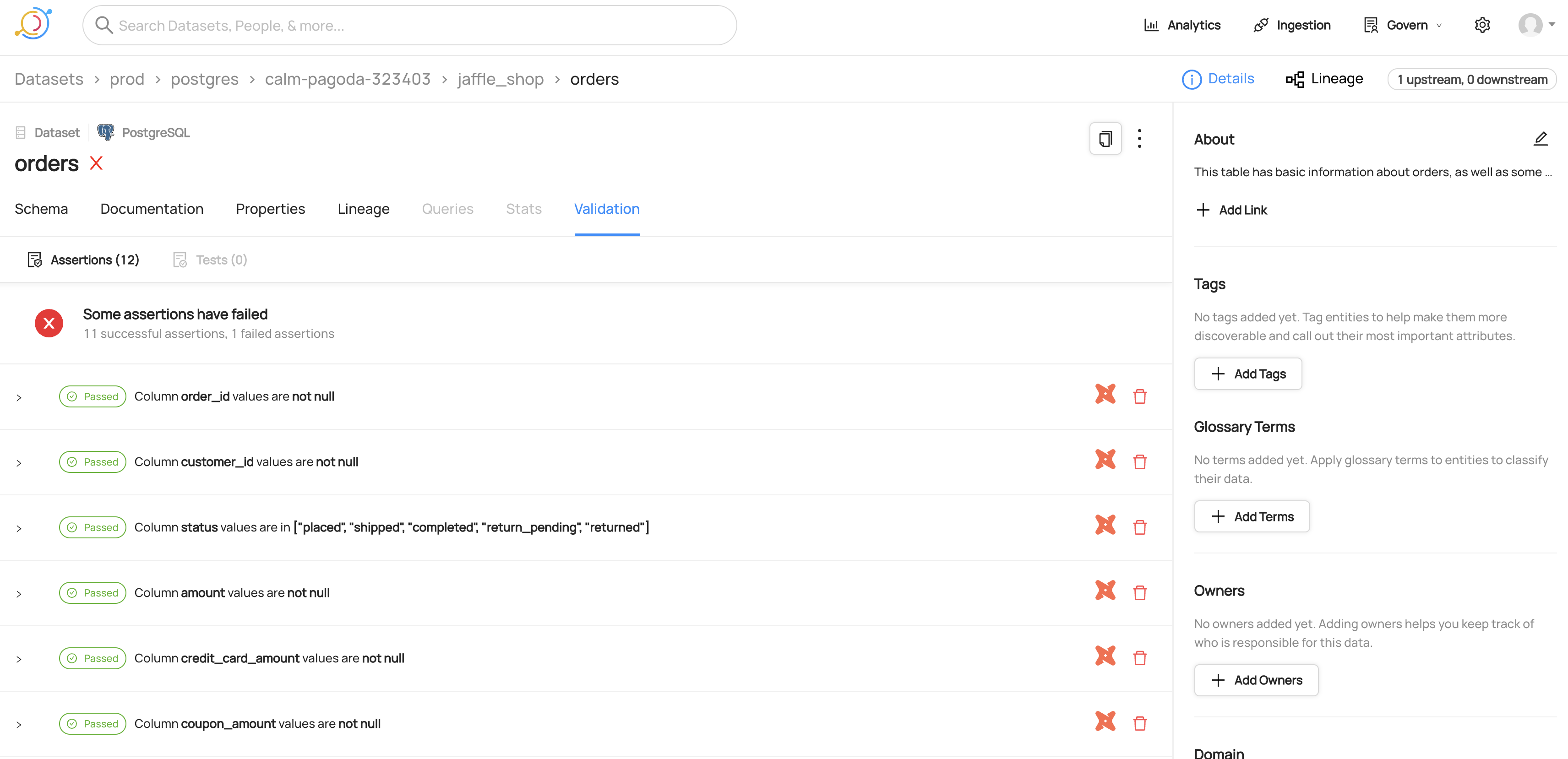
Viewing the SQL for a dbt test
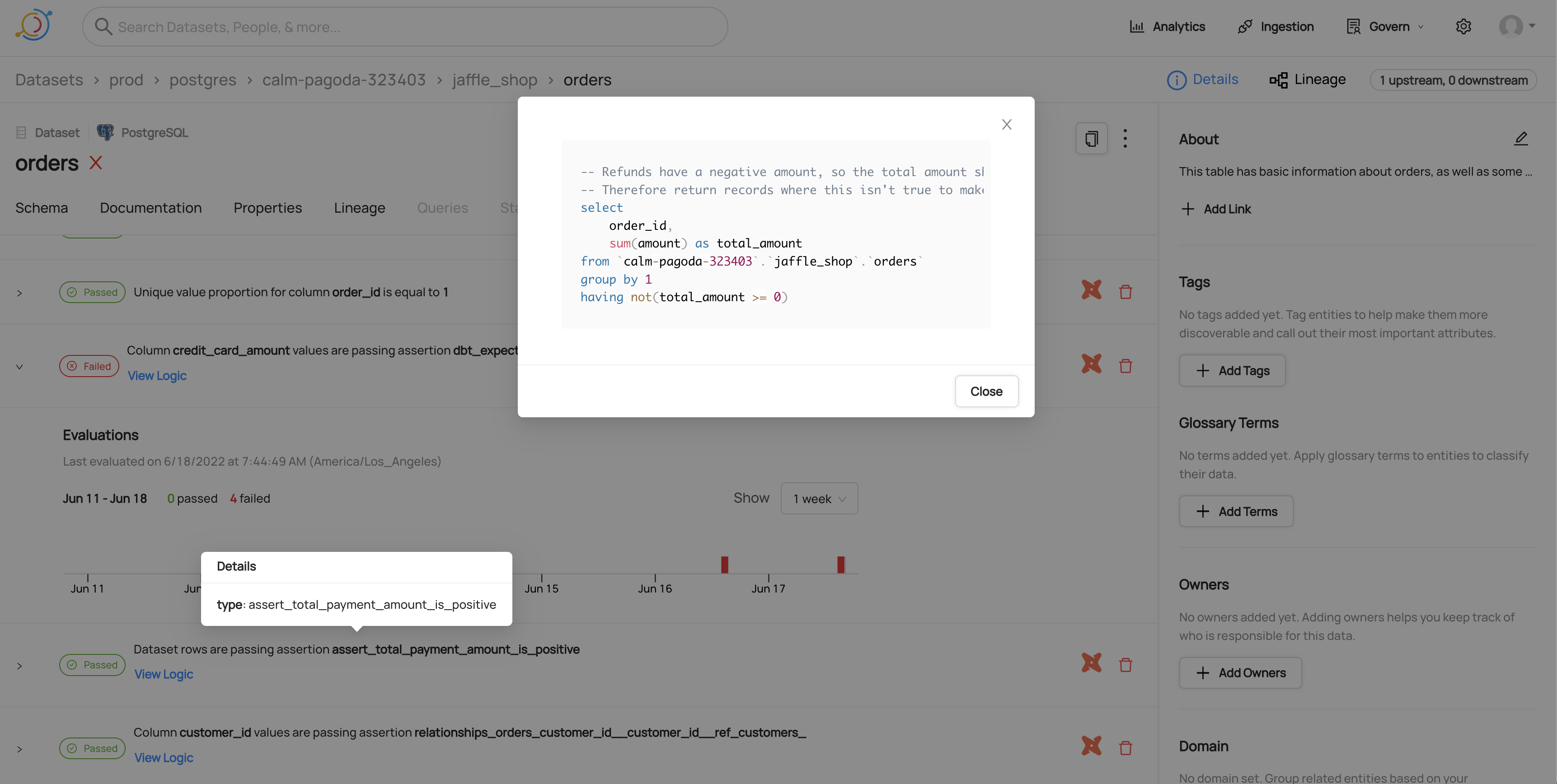
Viewing timeline for a failed dbt test
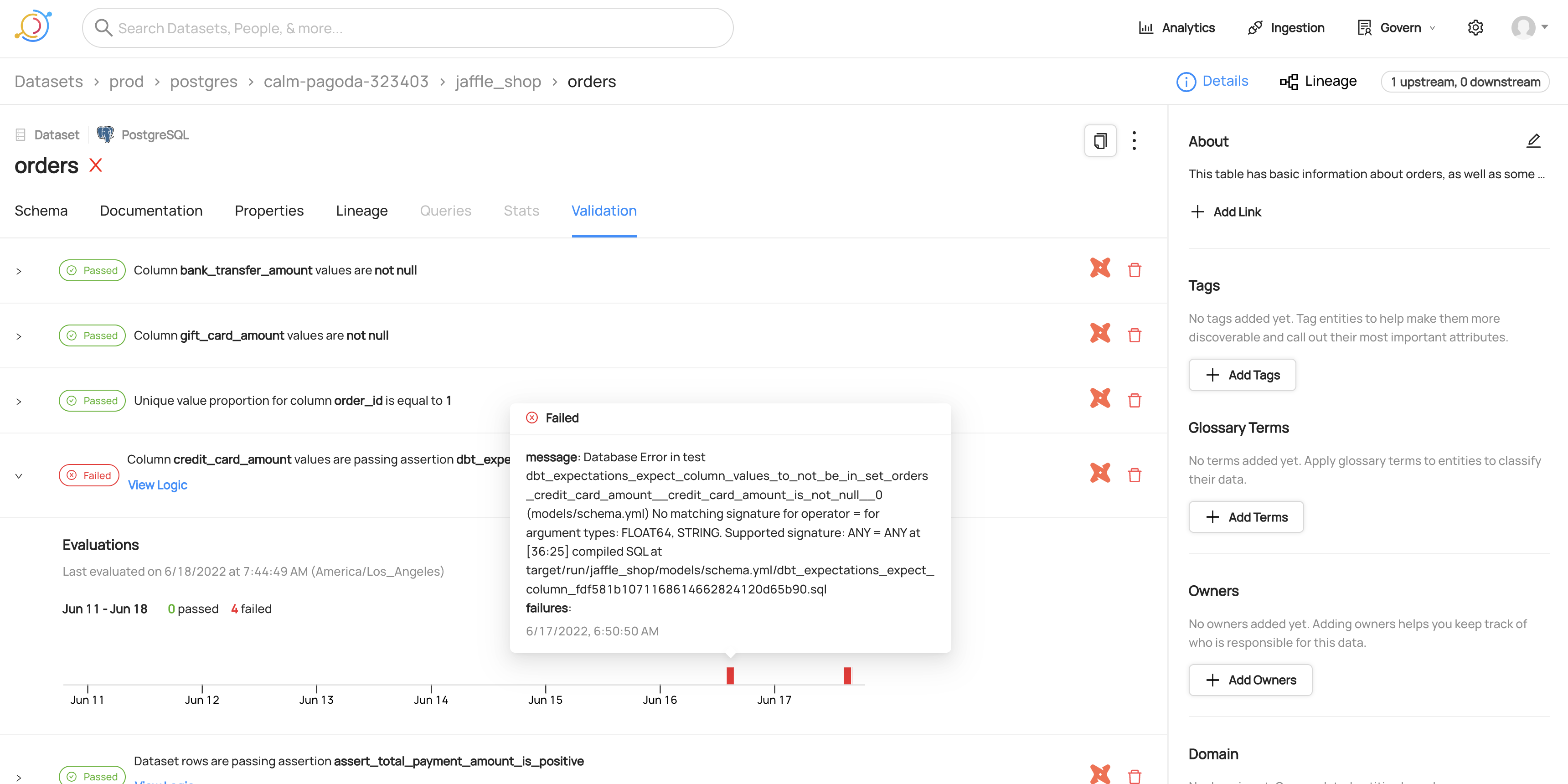
Separating test result emission from other metadata emission
You can segregate emission of test results from the emission of other dbt metadata using the entities_enabled config flag.
The following recipe shows you how to emit only test results.
source:
  type: dbt
  config:
    manifest_path: _path_to_manifest_json
    catalog_path: _path_to_catalog_json
    run_results_paths:
      - _path_to_run_results_json
    target_platform: postgres
    entities_enabled:
      test_results: Only
Similarly, the following recipe shows you how to emit everything (i.e. models, sources, seeds, test definitions) but not test results:
source:
  type: dbt
  config:
    manifest_path: _path_to_manifest_json
    catalog_path: _path_to_catalog_json
    run_results_paths:
      - _path_to_run_results_json
    target_platform: postgres
    entities_enabled:
      test_results: No
Double check you are using the same job_id for your test_results: Only and test_results: No recipes. Otherwise you might end up reporting tests_results for tests that haven't had their test_definitions ingested yet. This can lead to orphaned assertions that do not show up under your dataset. With ingest_contracts, the test_results: No recipe writes the contract and its assertions, and the test_results: Only recipe writes their run events.
If you choose not to share a job_id, you should adjust your recipe to also ingest the test_definitions
entities_enabled:
  models: No
  sources: No
  seeds: No
  snapshots: No
  test_definitions: Yes
  test_results: Yes
Multiple dbt projects
In more complex dbt setups, you may have multiple dbt projects, where models from one project are used as sources in another project.
DataHub supports this setup natively, and a source() in one project that points at another project's model is connected through the shared warehouse dataset.
There are two ways to ingest several dbt projects:
- One recipe per project. Choose this when a project's identity in DataHub must not change if the project is renamed, when projects need different settings (
target_platform,git_info, filters, schedules), or when the artifacts come from a dbt version older than 1.6. - One recipe with a globbed
manifest_path. Choose this when there are many projects, new projects should be picked up without writing a new recipe, the artifacts share a common layout, and the projects can share one configuration. Each project'splatform_instanceis then its dbt project name. See Multi-Project Ingestion (glob patterns) for how it works and what a project rename or a duplicate project name means.
With one recipe per project, set platform_instance in each recipe to the dbt project name. That is the value a glob recipe would derive, so you can switch between the two approaches without changing dataset, assertion or semantic model URNs. Query entities from meta.queries are the exception: under a glob their URNs also include the project name, so they are re-created on the switch.
For example, if you have two dbt projects analytics and data_mart, you would have two ingestion recipes.
If you have models in the data_mart project that are used as sources in the analytics project, the lineage will be automatically captured.
# Analytics dbt project
source:
  type: dbt
  config:
    platform_instance: analytics
    target_platform: postgres
    manifest_path: analytics/target/manifest.json
    catalog_path: analytics/target/catalog.json
    # ... other configs
# Data Mart dbt project
source:
  type: dbt
  config:
    platform_instance: data_mart
    target_platform: postgres
    manifest_path: data_mart/target/manifest.json
    catalog_path: data_mart/target/catalog.json
    # ... other configs
The same two projects with one recipe, assuming both write their artifacts under dbt-artifacts/<project>/:
source:
  type: dbt
  config:
    target_platform: postgres
    manifest_path: dbt-artifacts/*/manifest.json
    # ... other configs
If you have models that have tons of sources from other projects listed in the "Composed Of" section, it may also make sense to hide sources.
Dremio
With target_platform: dremio, dbt names datasets the way the Dremio source does (dremio.<space or source>.<folders>.<table>, lowercased, without dbt-dremio's no_schema folder), so dbt models link to the Dremio datasets as siblings and dbt lineage points at them.
- Write
target_platformin lowercase. Other casings name the data platform itself differently, and those datasets don't link to the Dremio source's. - Keep
include_database_nameat its default (true). Without the space or source, the names can't match. - For tables in nested folders (paths of more than 3 parts), column-level lineage may be missing for columns not qualified with a table alias; table-level lineage is unaffected.
Reducing "composed of" sprawl by hiding sources
When many dbt projects use a single table as a source, the "Composed Of" relationships can become very large and difficult to navigate and extra source nodes can clutter the lineage graph.
This is particularly useful for multi-project setups, but can be useful in single-project setups as well.
The benefit is that your entire dbt estate becomes much easier to navigate, and the borders between projects less noticeable. The downside is that we will not pick up any documentation or meta mappings applied to dbt sources.
To enable this, set entities_enabled.sources: No and skip_sources_in_lineage: true in your dbt source config:
source:
  type: dbt
  config:
    platform_instance: analytics
    target_platform: postgres
    manifest_path: analytics/target/manifest.json
    catalog_path: analytics/target/catalog.json
    # ... other configs
    entities_enabled:
      sources: No
    skip_sources_in_lineage: true
[Experimental] It's also possible to use skip_sources_in_lineage: true without disabling sources entirely. If you do this, sources will not participate in the lineage graph - they'll have upstreams but no downstreams. However, they will still contribute to docs, tags, etc to the warehouse entity.
Semantic Views
DataHub can ingest dbt models that have been materialized as semantic_view objects, a pattern used to define a semantic layer directly in warehouses like Snowflake.
What are Materialized Semantic Views?
A materialized semantic view is a dbt model (a .sql file) that uses the materialized='semantic_view' configuration via the dbt_semantic_view package. This creates a SEMANTIC VIEW object in Snowflake, containing a rich set of metadata including dimensions and metrics.
When you define a dbt model as a semantic view:
-- models/sales_analytics.sql
{{ config(
    materialized='semantic_view'
) }}

TABLES (
    OrdersTable AS {{ source('coffee_shop_source', 'ORDERS') }}
)
DIMENSIONS (
    OrdersTable.CUSTOMER_ID AS CUSTOMER_ID
)
METRICS (
    OrdersTable.GROSS_REVENUE AS SUM(ORDER_TOTAL)
)
DataHub will:
- Create a dataset with the subtype
Semantic View. - Create sibling relationships to the underlying Snowflake
SEMANTIC VIEWobject. - Extract column-level lineage from the semantic view's DDL.
Configuration
Semantic views are dbt models with materialized='semantic_view'. They are emitted by default along with other models when entities_enabled.models: Yes (the default).
How Semantic Views Appear in DataHub
- Subtype: Datasets are tagged with the subtype
Semantic View. - Lineage: Upstream lineage to the source dbt model is created, with column-level lineage where available.
Column-Level Lineage for Snowflake Semantic Views
For dbt models materialized as semantic views in Snowflake, DataHub can extract column-level lineage from the compiled DDL. This requires:
- Using Snowflake as the
target_platform. - Having the
compiled_codefor the model available in the dbt manifest or dbt Cloud API.
If these conditions are not met, warnings will appear in the ingestion report:
| Condition | Warning |
|---|---|
| Non-Snowflake adapter | Semantic View CLL Unsupported Adapter |
Missing compiled_code | Semantic View Missing compiled_code |
| Empty CLL results | Semantic View CLL Empty |
| Parsing failure | Semantic View CLL Parsing Failed |
Note: Limitations
Column-level lineage is currently only supported for Snowflake semantic views, as it relies on parsing the Snowflake-specific DDL.
Semantic Models
DataHub ingests dbt semantic models (dbt 1.6+) - the semantic_models: entries in your YAML that define entities, dimensions, and measures on top of a dbt model.
A semantic model is a logical structure: it lives in your dbt project and is never materialized in the warehouse. DataHub models it accordingly.
How Semantic Models Appear in DataHub
Subtype: Datasets are tagged with the subtype
Semantic Model.Name: The dataset is named from dbt's own unique id,
semantic_model.<project>.<semantic_model_name>, giving a urn like:urn:li:dataset:(urn:li:dataPlatform:dbt,semantic_model.jaffle_shop.orders,PROD)This is the same rule already used for exposures, which are named
exposure.<project>.<name>. A semantic model has no warehouse address of its own, so it is not named<database>.<schema>.<name>like a model, seed, or snapshot. Naming it that way would give it the address of the model it sits on - colliding with that model whenever the two share a name, which is dbt's own documented convention:semantic_models:
- name: orders
model: ref("orders")No warehouse entity: Unlike models, seeds, and snapshots, a semantic model produces no dataset on the target platform, no sibling relationship, and no lineage into one - there is no warehouse table to describe.
Schema: Entities, dimensions, and measures are surfaced as columns, with native types of the form
entity:primary,dimension:time, andmeasure:sum.Lineage: Upstream lineage points at the dbt model the semantic model is built on.
Configuration
Semantic models are emitted by default. Control them with entities_enabled.semantic_models:
source:
  type: dbt
  config:
    entities_enabled:
      semantic_models: "NO"
Two connector settings do not apply to semantic models, because both concern physical assets: include_database_name (the urn carries no database) and materialized_node_pattern (there is no materialized location to match against). To filter semantic models by name, use node_name_pattern, which matches the dbt unique id.
Semantic Model and Metric Entities
On top of the datasets described above, DataHub can also describe your dbt semantic layer with first-class Semantic Model and Metric entities. This is purely additive: it does not change the dataset urns, and it does not change any aspect the connector already writes for them.
What Gets Emitted
- One
semanticModelper dbt project, holding the join relationships between your semantic models. Its urn isurn:li:semanticModel:(urn:li:dataPlatform:dbt,<project>,semantic_layer). - Semantic annotations on each semantic model's dataset. The dataset keeps the urn, name, description, schema, subtype, tags, owners and lineage described above, and gains a link to its parent
semanticModelplus a per-column annotation recording whether the column is a dimension or a measure, its aggregation function, and whether it is a time dimension. - One
metricper measure withcreate_metric: true, and one per top-levelmetrics:entry. Its urn isurn:li:metric:(urn:li:dataPlatform:dbt,<project>,<metric_name>). Metrics carry an expression, a subtype naming dbt's metric type (Simple,Ratio,Derived,Cumulative,Conversion), upstream lineage to the datasets of the semantic models they read, andderivedFromedges to the metrics they are built on.
Relationships follow MetricFlow's own join semantics: a semantic model that declares an entity as foreign, unique or natural joins to every semantic model that declares an entity of the same name as primary, unique or natural. When a key is declared in more than one semantic model, an edge is emitted to each - MetricFlow joins to each of them too. A reference to a key that is not in the ingested project is counted in the ingestion report rather than warned about, since that is normal when you filter part of a project.
Enabling It
source:
  type: dbt
  config:
    emit_semantic_model_entities: true
emit_semantic_model_entities is three-valued:
| Value | Behavior |
|---|---|
| unset (default) | Follow the server. Enabled on DataHub Cloud new enough to register these entity types, unless the Metrics feature is disabled. Off on OSS, older DataHub Cloud, and runs with no server connection (for example a file sink). |
true | Request emission. Refused, with the reason in the ingestion report, where the server cannot accept these entities. |
false | Off, whatever the server says. |
Because nothing about the datasets changes, you can turn this on and off freely: there is no urn change and no migration.
Project Name
The semanticModel and metric urns are keyed by your dbt project name, read from manifest.metadata.project_name (dbt Core) or from the semantic models' package name (dbt Cloud). Since it is part of the entities' identity, pin it if it might change:
source:
  type: dbt
  config:
    emit_semantic_model_entities: true
    semantic_model_project_name: jaffle_shop
If the project name cannot be determined, the run reports a failure and emits no semantic model or metric entities rather than inventing a placeholder name - the datasets are unaffected.
When platform_instance is set it is folded into the path segment of these urns (urn:li:semanticModel:(urn:li:dataPlatform:dbt,<instance>.<project>,semantic_layer)), because semanticModelKey and metricKey have no platform-instance field of their own. It is not folded twice when platform_instance and the project name are the same, which is the documented setup for multi-project dbt.
Limitations
- dbt Cloud has no
metrics:block. The Discovery API does not expose it, so only metrics fromcreate_metric: truemeasures are ingested there. The ingestion report says so on every dbt Cloud run that emits these entities. Use the dbt Core source if you need themetrics:block. - Metric type, filters and cumulative windows have no field of their own on
metricInfo. The type becomes a subtype; a filter is folded into the metric's expression as aFILTER (WHERE ...)clause, or stated as a trailing SQL comment where the expression cannot carry one (a ratio, or an author-writtenexpr); a cumulative window becomes a trailing comment such as/* cumulative over 7 day */. dbt keeps filters as Jinja templates, so a folded filter is not always parseable SQL. - Time-dimension granularity is recorded only as "this is a time dimension" - the annotation has no field for the grain itself.
Exposures
DataHub supports ingesting dbt exposures - downstream consumers of your dbt models such as dashboards, notebooks, ML models, and applications.
What are dbt Exposures?
Exposures define how your dbt models are used downstream. They help you understand the full picture of your data ecosystem by documenting:
- Dashboards - BI tools like Looker, Tableau, or Metabase
- Notebooks - Jupyter notebooks or other analysis tools
- ML Models - Machine learning pipelines consuming your data
- Applications - Apps or services that use your data
- Analysis - Ad-hoc analysis or reports
How Exposures Map to DataHub
dbt exposures are ingested as Dashboard entities in DataHub, with the exposure type preserved as a subtype:
| dbt Exposure Type | DataHub SubType |
|---|---|
dashboard | Dashboard |
notebook | Notebook |
ml | ML Model |
application | Application |
analysis | Analysis |
Configuration
Exposures are enabled by default. You can control their emission using the entities_enabled.exposures config:
source:
  type: dbt
  config:
    manifest_path: _path_to_manifest_json
    catalog_path: _path_to_catalog_json
    target_platform: postgres
    entities_enabled:
      exposures: Yes # Default - emit exposures
      # exposures: No  # Disable exposure ingestion
      # exposures: Only  # Only emit exposures, skip other entities
Lineage
Exposures automatically create lineage relationships to their upstream dbt models. The depends_on field in your exposure definition determines which models appear as upstreams:
# models/exposures.yml
exposures:
  - name: weekly_metrics_dashboard
    type: dashboard
    owner:
      email: analytics@company.com
    depends_on:
      - ref('orders')
      - ref('customers')
    url: https://bi.company.com/dashboards/weekly-metrics
This creates lineage: orders → weekly_metrics_dashboard and customers → weekly_metrics_dashboard.
Owner Resolution
Owner resolution for exposures is the same as for other dbt assets (models, sources, etc.). The enable_owner_extraction config applies to all of them: when true (default), ownership is extracted; when false, no ownership aspect is emitted for any dbt asset, including exposures.
For exposures, the owner is read from the exposure definition:
owner.email(recommended): used as the user URN (e.g.,analytics@company.com→urn:li:corpuser:analytics@company.com)owner.name(fallback): converted to lowercase with underscores (e.g.,"John Doe"→urn:li:corpuser:john_doe)
The same configs apply as elsewhere: strip_user_ids_from_email strips the domain from email-based owners when set.
When only owner.name is provided (without email), the generated URN may not match existing users in DataHub. We recommend providing owner.email for accurate user matching.
Example Output
An exposure like:
exposures:
  - name: weekly_metrics_dashboard
    type: dashboard
    description: Weekly business metrics for leadership
    owner:
      email: analytics@company.com
    maturity: high
    url: https://bi.company.com/dashboards/123
    depends_on:
      - ref('orders')
Will create a Dashboard entity in DataHub with:
- Title:
weekly_metrics_dashboard - Description:
Weekly business metrics for leadership - SubType:
Dashboard,Notebook,ML Model,Application,Analysis - Owner:
urn:li:corpuser:analytics@company.com - External URL:
https://bi.company.com/dashboards/123 - Upstream Lineage: Link to the
ordersdbt model - Custom Properties:
exposure_type,maturity,dbt_unique_id
Ingesting dbt Contracts as DataHub Data Contracts
dbt model contracts (introduced in dbt 1.5) let you declare schema guarantees on your models — column names, data types, and constraints like not_null, unique, primary_key, foreign_key, and check. DataHub can ingest these contracts and represent them as Data Contracts, so the same guarantees are visible in your catalog alongside your datasets.
Where the contract appears. The Data Contract is attached to the dbt dataset, never to its warehouse sibling. On a page that combines a dbt model with its warehouse table, the Contract tab is disabled. To see the contract, open the dbt asset on its own, for example from the Composed Of section in the page's sidebar.
Enabling Contract Ingestion
For dbt Core, set ingest_contracts: true in your recipe:
source:
  type: dbt
  config:
    manifest_path: _path_to_manifest_json
    catalog_path: _path_to_catalog_json
    target_platform: postgres

    # Enable Data Contract ingestion
    ingest_contracts: true
For dbt Cloud, contract data is read from the Discovery API's environment endpoint, because the job-scoped API the connector otherwise uses does not expose it. The environment defaults to the one the ingested run belongs to; set environment_id only to pin it:
source:
  type: dbt-cloud
  config:
    account_id: 123456
    project_id: 7890
    job_id: 11111
    environment_id: 22222 # optional; defaults to the run's environment
    token: ${DBT_CLOUD_TOKEN}
    target_platform: snowflake

    # Enable Data Contract ingestion
    ingest_contracts: true
If environment_id is set and the ingested run belongs to a different environment, those models get no contract and the ingestion report carries a warning.
If the Discovery API request for contract data fails, the whole ingestion run is marked as failed, so stateful ingestion does not soft-delete the contracts from earlier runs.
What Gets Ingested
When a dbt model has contract.enforced: true, DataHub creates:
- Schema assertion (CUSTOM) — declared columns and types, with pass/fail from the model build (dbt's preflight). Linked on the Data Contract data quality section (not the schema slot, which is reserved for DataHub-native schema assertions).
- Constraint assertions (CUSTOM) — one per constraint in the contract. A named constraint's
namebecomes the assertion's display name (for aprimary_key, only on its unique assertion); otherwise DataHub builds the title from the assertion definition:not_null→ aNOT_NULLassertion on the columnunique→ a unique-proportion assertion with parameter1.0primary_key→ both a unique assertion and a not-null assertion (PK = unique AND not null)- Composite primary keys produce a single multi-column unique assertion over the tuple, plus per-column not-null assertions
- The same check declared more than once (for example
not_nullandprimary_keyon one column) produces one assertion, labelled with the strongest enforcement. Column names are compared case-insensitively, and a foreign key's target is identified by the relation it resolves to, so manifests fromdbt parseanddbt compileproduce the same assertions foreign_keycarriesto(referenced model) andto_columnson custom properties (dbt Core only; see the dbt Cloud limitations below). dbt 1.9+ declares foreign keys withto/to_columns; the olderexpression: "other_table (id)"form is also parsed.checkandcustomcarry the expression on custom properties
- Matching dbt tests — existing test assertions (already CUSTOM + run events) are attached when tagged or when the test type and column match a declared constraint.
- Data Contract entity — bundles the assertions above and links them to the dbt dataset.
dbt never merges into a Data Contract it did not create. dbt finds a dataset's existing contract the same way the DataHub UI does (the contract that points at the dataset), so contracts created in the UI or from YAML are found too. A dataset without a live contract gets dbt's contract at a URN derived from the dataset; when the lookup returns soft-deleted contracts only, a soft-deleted contract at that URN is revived. An existing contract is treated as dbt's only when it is at that dataset-derived URN and still lists the dataset's dbt schema assertion; dbt then rewrites it in place. A contract at another URN (for example one created in the UI) is never treated as dbt's, even if it lists dbt's schema assertion, and a contract at the derived URN without that assertion (for example one authored in YAML, which uses the same URN) is not either. The schema assertion is keyed on the dataset, so renaming a model or moving it to another package without changing its relation keeps the same contract. dbt's contract is rewritten on every run with only the current run's assertions, so removed constraints, tests, and columns drop out. Edits made in DataHub to a dbt-owned contract (freshness, schema, state, or extra entries) are overwritten on the next run; make those changes in dbt instead.
If the dataset already has a contract that is not dbt's, dbt does not change its content by default; it only re-sends the contract's existing status each run so stateful ingestion does not soft-delete it. The dbt contract assertions are still emitted as standalone assertions, and the dataset is listed on the ingestion report (contracts_skipped_existing). Removing the dbt schema assertion from a contract in DataHub hands that contract over: dbt stops updating it. Set replace_existing_contracts_with_dbt: true to always write dbt's contract instead, replacing whatever is there; with a DataHub graph connection it is written to the existing contract, so the dataset keeps one contract. A dataset with more than one contract is never changed (only its contracts' status is re-sent, as above) and is reported as a warning.
Finding existing contracts needs a DataHub graph connection. With a sink that has none (for example the file sink, or a Kafka sink without datahub_api), no Data Contract is written: contract assertions are still emitted and the report carries a warning. With stateful stale removal enabled, the run instead stops at startup with a configuration error, since unwritten contracts would otherwise be soft-deleted. Configure datahub_api, or set replace_existing_contracts_with_dbt: true, to write contracts. Without a graph, replace_existing_contracts_with_dbt writes to the URN derived from the dataset, so a dataset that already has a contract at another URN (for example one created in the UI) ends up with two contracts. Existing contracts are looked up with one request per contracted model, one after another, which adds noticeable time on very large projects. If existing contracts cannot be read, the whole ingestion run is marked as failed (so stateful ingestion does not soft-delete earlier contracts), contract assertions are still emitted, and no Data Contract is written or removed.
With stateful ingestion, dbt's contracts are soft-deleted like other stale dbt entities when a model stops enforcing its contract or ingest_contracts is turned off. Contracts that are not dbt's are not soft-deleted, unless replace_existing_contracts_with_dbt is set: dbt then owns the contract it writes, including stale removal. A contract dbt wrote and a user later took over (by removing dbt's schema assertion) is left untouched by the next run that still ingests the model's contract, and that run drops it from the checkpoint, so later runs never soft-delete it. If the model stops enforcing its contract, or ingest_contracts is turned off, before such a run, the contract is still in the previous checkpoint and is soft-deleted. As for other dbt nodes, if a model's contract fails to emit (reported as a warning), stale removal may soft-delete that model's earlier contract and assertions.
Unsupported or unknown constraint types are recorded on the ingestion report (contract_constraints_skipped_unsupported) and skipped rather than raised, so one unusual constraint in one model doesn't fail ingestion for the rest of the project.
How evaluations are reported
Contract assertions are externally reported: DataHub does not re-run them. A schema SUCCESS means only that dbt's preflight check passed, and that check is the adapter's: dbt never compares size, precision or scale, and some adapters compare less than every column's name and type. AssertionRunEvents come from artifacts you already ingest (run_results.json on Core; job status/error on Cloud):
| Signal | Result |
|---|---|
Model build success | Schema SUCCESS. On table models, constraints with enforced_by: database also get SUCCESS (the table was rebuilt with the constraints and the warehouse accepted the write). An incremental build gets the constraint DDL only when its table is (re)created, and dbt applies no constraints to views, so those builds only report the schema check. Databricks adds constraints after writing the table, so a failed constraint leaves the data in place; its builds also only report the schema check. |
Model error whose message contains enforced contract that failed / assert_columns_equivalent | Schema FAILURE. The mismatch table is stored on nativeResults.message. No constraint events (preflight never reached DDL). |
Any other model error | No contract run event. This includes a build that fails because the data violates a database-enforced constraint: dbt reports that as a generic database error, so the constraint assertion keeps its previous result. Add a matching dbt test (for example not_null) to get a failure signal. |
| Matching dbt test | The existing test AssertionRunEvent (the high-quality signal for not_null / unique / relationships). |
On dbt Core, only run_results.json from dbt run, dbt build, and dbt retry produce contract run events; dbt compile reports models as successful without building them. dbt Cloud reports no command per model, so the job's model status is used, except that a successful model without execute timings (not built in that run) produces no run event.
Unenforced constraints (enforced_by: dbt_contract or unsupported) get no synthetic success. Their constraint assertion is never run; a matching dbt test attached to the contract carries the result instead, and the constraint does not flip the contract red by itself. The not-null half of a primary_key carries the primary key's enforcement, since on most warehouses declaring a primary key does not enforce it. On PostgreSQL, Snowflake and Databricks, which enforce a primary key's NOT NULL, it carries the not_null enforcement instead.
On dbt Cloud, contract run events are stamped with the model's executeCompletedAt (or executeStartedAt) from the job API, so ingesting the same run again does not add new run events. A failed model without timings (for example a contract preflight failure) is stamped with the run's runGeneratedAt, and with the ingestion time only if that is missing too.
Configuration Options
| Option | Default | Description |
|---|---|---|
ingest_contracts | false | Enable Data Contract creation from dbt contracts. Schema and constraint checks are CUSTOM assertions; run events come from model builds and matching tests. |
replace_existing_contracts_with_dbt | false | Replace an existing Data Contract that dbt did not create with dbt's contract. By default dbt does not change such contracts and only the dbt contract assertions are emitted. Also needed to write contracts without a DataHub graph connection; without a graph, a dataset that already has a contract at another URN ends up with two. |
contract_test_tag | "contract" | Tag on extra dbt tests to include in the Data Contract data quality section. Tests that already match a declared constraint (not_null, unique, relationships) are auto-attached even without this tag. The tag is a DataHub convention — dbt itself does not bundle tests with contracts. |
ingest_column_constraints_as_assertions | true | Emit CUSTOM assertions from contract constraints (not_null, unique, primary_key, foreign_key, check, custom). Whether each constraint is DDL-enforced is surfaced via enforced_by. Run events come from model builds (schema + DDL-enforced constraints on success) and from matching dbt tests. |
environment_id (dbt Cloud only) | None | dbt Cloud environment to read contract data from. Defaults to the ingested run's environment. |
Including dbt Tests in Contracts (DataHub Convention)
dbt itself does not bundle specific tests with model contracts — contracts validate shape (column names and types at build time), while dbt tests validate content after building. They are distinct features in dbt.
DataHub attaches a test to the generated Data Contract when either:
- the test type and column match a declared constraint (
not_null,unique,relationships↔foreign_key) and the test has nowhere:filter or dbt_expectationsrow_condition(a filtered test checks only some rows), or - the test is tagged with
contract_test_tag(default:contract) — use this foraccepted_valuesand other extra checks.
The tag is a DataHub-specific extension, not a dbt feature — your dbt project will still run the tagged tests as ordinary dbt tests. Matching tests reuse the same assertion URN the test path already emits, so run history stays on one entity.
# In your dbt schema.yml
models:
  - name: orders
    config:
      contract:
        enforced: true
    columns:
      - name: order_id
        data_type: int
        constraints:
          - type: primary_key
        data_tests:
          - unique # matches the primary key, attached automatically
          - not_null # matches the primary key, attached automatically
      - name: status
        data_type: varchar
        data_tests:
          - accepted_values:
              values: ["placed", "shipped", "returned"]
              config:
                tags: ["contract"] # no matching constraint, so tag it
With the default contract_test_tag: "contract", any test tagged with contract is added to the Data Contract's data quality assertions and also continues to run as a regular dbt test. A tagged test that reads several models (such as relationships) is attached only to the model it is declared on. A relationships test is matched to a foreign_key only when both targets resolve to the same relation in the ingested project (a foreign key declared with expression: "other_table (id)" is matched on that table and column); for a target in another project or package, tag the test instead.
On dbt Cloud, the API exposes neither test arguments nor the model a test is declared on. So relationships tests are never auto-attached to a foreign_key constraint; tag a test with contract_test_tag to include it. A tagged test is attached only when it reads that one model, so a tagged test that reads several models (such as relationships) is not attached on dbt Cloud; use the dbt Core source to include those. The API also exposes no test where: config, so on dbt Cloud a filtered not_null or unique test is still auto-attached to a matching constraint.
Warehouse Constraint Enforcement
dbt's constraint support matrix varies widely by adapter, and dbt documents that the matrix will keep changing. DataHub reflects three states on each constraint assertion's enforced_by custom property:
| Adapter | not_null | unique | primary_key / foreign_key | check |
|---|---|---|---|---|
| PostgreSQL | database | database | database | database |
| Snowflake | database | dbt_contract | dbt_contract | unsupported |
| Redshift | database | dbt_contract | dbt_contract | unsupported |
| Fabric | database | dbt_contract | dbt_contract | unsupported |
| BigQuery | database | unsupported | dbt_contract | unsupported |
| Databricks | database | unsupported | dbt_contract | database |
| Spark | dbt_contract | dbt_contract | dbt_contract | dbt_contract |
| Athena | unsupported | unsupported | unsupported | unsupported |
enforced_by: databasemeans dbt emits real DDL constraints and the warehouse validates them at write time.enforced_by: dbt_contractmeans the constraint is definable as metadata but is not DDL-enforced.enforced_by: unsupportedmeans this adapter cannot define that constraint type. The assertion is still emitted so the contract declaration is visible.- If
dbt_adapteris missing or unrecognized, DataHub falls back todbt_contractrather than guessing. customconstraints are added to the DDL as written on every adapter, so they are alwaysdbt_contract: whether the warehouse enforces one depends on its expression.- dbt applies constraint DDL only to
tableandincrementalmodels, so constraints on other materializations (for example views) are alwaysdbt_contract.
The table is a snapshot of dbt's published matrix. Prefer warn_unenforced / warn_unsupported on the assertion custom properties (copied from the manifest when present) as the source of truth for a given project.
Contracts are always written to the dbt dataset, regardless of dbt_is_primary_sibling. A contract created on the warehouse sibling is not seen, so a dataset can end up with one contract on each sibling. See Where the contract appears for viewing it.
Limitations on dbt Cloud
On dbt Cloud, contract column types come from the applied catalog (the post-run warehouse state), not the pre-DDL manifest declaration — the Discovery API does not expose declared types via definition.models in a form the connector can use. This means:
- Schema definitions on dbt Cloud are looser than on dbt Core: a catalog-driven assertion can't detect a mismatch between the contract declaration and the actual table schema, and it shows the warehouse column types (for example
BIGINTfor a declaredint). Schema run events still come from the job's modelstatus/error. - Constraints are read from
applied.models.constraints, which holds model-level constraints only; the Discovery API returns no column-level constraints. So column-levelnot_null,primary_keyanduniqueconstraints produce no assertions on dbt Cloud, and their matching tests are not auto-attached. Declare them as model-level constraints withcolumns: [...]to ingest them. - Contract data reflects the environment's latest applied state, not the specific
run_idbeing ingested. If the contract changed after that run, the ingested definition is the newer one. - Foreign keys carry no
to/to_columnson dbt Cloud: the Discovery API has no such fields (it returnsname,type,expression, andcolumns). Because the target is unknown, two unnamed foreign keys on the same columns become one assertion; name them to keep them apart. - If you need strict declared-type matching (for example, when using
alias_types: falseto force platform-specific types in your contracts), use the dbt Core source, which reads the manifest directly.
Assertions emitted from dbt contracts are durable CUSTOM metadata on assertion entities. The wrapping dataContract entity is what the current DataHub UI uses to group them and roll up the latest run events; if you later migrate contracts to another representation, the assertions remain.
Notes on alias_types
dbt's alias_types config (default true) controls whether generic type names in a contract (string, int) are translated to platform-specific equivalents at DDL time. DataHub preserves whatever type the user wrote in the manifest on the schema assertion's logic field:
- With
alias_types: trueand a declared type ofstring, the assertion describesstring. - With
alias_types: falseand a declared type ofVARCHAR(64), the assertion describesVARCHAR(64)verbatim, which matches what dbt enforces at the DDL layer.
Pass/fail for the schema check is dbt's preflight (names and types), not a DataHub-native schema evaluator.
Limitations
Module behavior is constrained by source APIs, permissions, and metadata exposed by the platform. Refer to capability notes for unsupported or conditional features.
Troubleshooting
If ingestion fails, validate credentials, permissions, connectivity, and scope filters first. Then review ingestion logs for source-specific errors and adjust configuration accordingly.
Code Coordinates
- Class Name:
datahub.ingestion.source.dbt.dbt_core.DBTCoreSource - Browse on GitHub
Module dbt-cloud
Important Capabilities
| Capability | Status | Notes |
|---|---|---|
| Column-level Lineage | ✅ | Enabled by default, configure using include_column_lineage. |
| Detect Deleted Entities | ✅ | Enabled by default via stateful ingestion. |
| Table-Level Lineage | ✅ | Enabled by default. |
| Test Connection | ✅ | Enabled by default. |
Overview
The dbt-cloud module ingests metadata from Dbt into DataHub. It is intended for production ingestion workflows and module-specific capabilities are documented below.
Prerequisites
Before running ingestion, ensure network connectivity to the source, valid authentication credentials, and read permissions for metadata APIs required by this module.
Setup
Extracts dbt metadata from dbt Cloud APIs.
Create a service account token with "Metadata Only" permission (read-only).
Operating Modes
The dbt Cloud source supports two modes of operation:
1. Explicit Mode (Default)
Specify a single dbt Cloud job to ingest metadata from. The job must have "Generate docs on run" enabled and should process all/most models (otherwise multiple job ingestion may be required).
To get the required IDs, go to the job details page (this is the one with the "Run History" table), and look at the URL. It should look something like this: https://cloud.getdbt.com/next/deploy/107298/projects/175705/jobs/148094. In this example, the account ID is 107298, the project ID is 175705, and the job ID is 148094.
2. Auto-Discovery Mode
Automatically discovers and ingests metadata from all eligible jobs in a dbt Cloud project. This mode:
- Discovers all jobs in the specified project's production environment only
- Filters to jobs with "Generate docs on run" enabled (
generate_docs=True) - Always uses the latest run for each job (ignores
run_idconfiguration) - Supports optional regex-based filtering to include/exclude specific job IDs
- Ingests metadata from multiple jobs in a single run
When to use auto-discovery:
- You have multiple dbt Cloud jobs in a project and want to ingest all of them
- You want to automatically pick up new jobs without updating configuration
Requirements:
- Jobs must be in the production environment
- Jobs must have "Generate docs on run" enabled
Platform Instance
A dbt Cloud recipe ingests one dbt project. If you ingest more than one dbt project into DataHub, from dbt Cloud or dbt Core, set platform_instance in each recipe to that project's name (the name: in its dbt_project.yml). This keeps the dbt URNs of different projects distinct, including models from a package that several projects install, and it is the same value that dbt Core recipes and multi-project glob ingestion use, so the same project gets the same dataset, assertion and semantic model URNs whichever way it is ingested. Query entities from meta.queries are the exception: under a glob their URNs also include the project name.
If you only ever ingest one dbt project, platform_instance can be left unset. Choose the value before the first ingestion: changing it later changes every dbt URN of the project, and metadata curated in DataHub on the old entities is not carried over.
Install the Plugin
pip install 'acryl-datahub[dbt-cloud]'
Starter Recipe
Check out the following recipe to get started with ingestion! See below for full configuration options.
For general pointers on writing and running a recipe, see our main recipe guide.
source:
  type: "dbt-cloud"
  config:
    token: ${DBT_CLOUD_TOKEN}

    # In the URL https://cloud.getdbt.com/next/deploy/107298/projects/175705/jobs/148094,
    # 107298 is the account_id, 175705 is the project_id, and 148094 is the job_id

    account_id: "${DBT_ACCOUNT_ID}" # set to your dbt cloud account id
    project_id: "${DBT_PROJECT_ID}" # set to your dbt cloud project id

    # Mode 1: Explicit Mode (specify a single job)
    job_id: "${DBT_JOB_ID}" # set to your dbt cloud job id
    run_id: # optional: set to a specific dbt cloud run id. Defaults to the latest run

    # Mode 2: Auto-Discovery Mode (automatically discover all eligible jobs)
    # Uncomment the section below to enable auto-discovery
    # Note: When auto_discovery is enabled, job_id can be omitted (will be ignored if provided)
    # and run_id is ignored (always uses the latest run)
    # auto_discovery:
    #   enabled: true
    #   job_id_pattern: # optional
    #     allow:
    #       - ".*"  # regex pattern to include jobs (default: include all)
    #     # deny:
    #     #   - "test.*"  # optional: regex pattern to exclude specific jobs

    target_platform: "${TARGET_PLATFORM_ID}" # e.g. bigquery/postgres/snowflake/etc.
    # convert_urns_to_lowercase: false  # optional: set to false for case-sensitive platforms like BigQuery to preserve original casing (default: true)

# sink configs
Config Details
- Options
- Schema
Note that a . is used to denote nested fields in the YAML recipe.
| Field | Description |
|---|---|
account_id ✅ integer | The DBT Cloud account ID to use. |
project_id ✅ integer | The dbt Cloud project ID to use. |
target_platform ✅ string | The platform that dbt is loading onto. (e.g. bigquery / redshift / postgres etc.) |
token ✅ string(password) | The API token to use to authenticate with DBT Cloud. |
access_url string | The base URL of the dbt Cloud instance to use. This should be the URL you use to access the dbt Cloud UI. It should include the scheme (http/https) and not include a trailing slash. See the access url for your dbt Cloud region here: https://docs.getdbt.com/docs/cloud/about-cloud/regions-ip-addresses Default: https://cloud.getdbt.com |
column_meta_mapping object | mapping rules that will be executed against dbt column meta properties. Refer to the section below on dbt meta automated mappings. Default: {} |
contract_test_tag string | Tag used to identify extra dbt tests to include in data contracts (after tag_prefix). Tests that already match a declared constraint (not_null, unique, relationships) are auto-attached even without this tag. Default: contract |
convert_column_urns_to_lowercase boolean | When enabled, converts column URNs to lowercase to ensure cross-platform compatibility. If target_platform is Snowflake, the default is True. Default: False |
convert_urns_to_lowercase boolean | Whether to convert dataset urns to lowercase. Default True to match historical dbt behavior. Set to False for case-sensitive platforms like BigQuery if you need to preserve original identifier casing in URNs. Default: True |
dbt_is_primary_sibling boolean | Experimental: Controls sibling relationship primary designation between dbt entities and target platform entities. When True (default), dbt entities are primary and target platform entities are secondary. When False, target platform entities are primary and dbt entities are secondary. Uses aspect patches for precise control. Requires DataHub server 1.3.0+. Default: True |
drop_duplicate_sources boolean | When enabled, drops sources that have the same name in the target platform as a model. This ensures that lineage is generated reliably, but will lose any documentation associated only with the source. Default: True |
emit_semantic_model_entities One of boolean, null | Tri-state control for describing dbt semantic models with first-class semanticModel and metric entities: one semanticModel per dbt project holding the join relationships, per-field semantic annotations on each semantic model's existing dbt dataset, and one metric per create_metric measure and per top-level metrics: definition (dbt Core only - the dbt Cloud Discovery API does not expose the metrics: block). Purely additive: the dataset urns and every aspect the connector already emits for them are unchanged. None (default): follow the server - enabled on DataHub Cloud new enough to register these entity types, unless the Metrics feature is explicitly disabled; off on OSS/self-hosted, older Cloud, and connectionless runs (e.g. a file sink). It also stays off if the server version cannot be parsed or the Metrics probe cannot be read. true: request emission - refused with a reported reason where the server cannot accept these entities. false: force the old dataset-only behavior. Default: None |
emit_target_platform_display_name boolean | Set a display name on target-platform entities that the warehouse connector has not ingested. Those entities have no datasetProperties, so the UI falls back to the urn and shows the full dotted path (instance.database.schema.table) rather than just the table name. Enabling this patches datasetProperties.name with the table name, matching how the warehouse connector's own entities are labelled. Has no effect unless both target_platform_instance is set and emit_target_platform_instance_aspects is enabled - a warning is logged if set without them. Default: True |
emit_target_platform_instance_aspects boolean | When target_platform_instance is set, emit dataPlatformInstance and browsePathsV2 aspects for target-platform sibling entities so they are correctly grouped under their platform instance in browse and filters. Browse paths written by the warehouse connector are never overwritten. A sibling entity the warehouse connector has not ingested is also given the container of an ingested table in the same database and schema, so it is a member of that container - counted in its contents and matched by container-scoped filters - rather than left unplaced. No container is created: where the warehouse connector has ingested nothing from a schema, the entity stays under the platform instance. Default: True |
enable_meta_mapping boolean | When enabled, applies the mappings that are defined through the meta_mapping directives. Default: True |
enable_owner_extraction boolean | When enabled, ownership info will be extracted from the dbt meta Default: True |
enable_query_tag_mapping boolean | When enabled, applies the mappings that are defined through the query_tag_mapping directives. Default: True |
environment_id One of integer, null | The dbt Cloud environment whose applied state supplies contract data when ingest_contracts is true. Contract data (contractEnforced, constraints, catalog columns) is only exposed on the Discovery API's environment-scoped query. Defaults to the environment of the ingested job's run; if set, models from a run in a different environment get no contract. Default: None |
external_url_mode Enum | One of: "explore", "ide" Default: explore |
include_column_lineage boolean | When enabled, column-level lineage will be extracted from the dbt node definition. Requires infer_dbt_schemas to be enabled. If you run into issues where the column name casing does not match up with properly, providing a datahub_api or using the rest sink will improve accuracy. Default: True |
include_compiled_code boolean | When enabled, includes the compiled code in the emitted metadata. Default: True |
include_database_name boolean | Whether to add database name to the table urn. Set to False to skip it for engines like AWS Athena where it's not required. Applies to physical assets only: dbt semantic models are not materialized in the warehouse and are named from their dbt unique id, so they ignore this. Default: True |
include_env_in_assertion_guid boolean | Prior to version 0.9.4.2, the assertion GUIDs did not include the environment. If you're using multiple dbt ingestion that are only distinguished by env, then you should set this flag to True. Default: False |
incremental_lineage boolean | When enabled, emits incremental/patch lineage for non-dbt entities. When disabled, re-states lineage on each run. This would also require enabling 'incrementallineage' in the counterpart warehouse ingestion (_e.g. BigQuery, Redshift, etc). Default: True |
infer_dbt_schemas boolean | When enabled, schemas will be inferred from the dbt node definition. Default: True |
ingest_column_constraints_as_assertions boolean | When enabled and ingest_contracts is true, emit CUSTOM assertions from dbt contract constraints (not_null, unique, primary_key, foreign_key, check, custom). primary_key is decomposed into a uniqueness assertion plus per-column not-null assertions. Composite keys are emitted as a single multi-column assertion. Whether a constraint is DDL-enforced is adapter-dependent and surfaced on each assertion's enforced_by custom property. Run events are emitted from model builds (schema + DDL-enforced constraints on a table build's success; schema on contract preflight failure) and from matching dbt tests. Default: True |
ingest_contracts boolean | When enabled, create DataHub Data Contracts from dbt models with contract.enforced=true. Schema and constraint checks are emitted as CUSTOM assertions on the contract's data-quality section. Schema pass/fail comes from model run_results (dbt's preflight). Constraint failures come from matching dbt tests; DDL-enforced constraints also get a weak pass when a table model build succeeds. Default: False |
job_id One of integer, null | The ID of the job to ingest metadata from. Required in explicit mode (when auto_discovery is disabled). Default: None |
max_queries_per_model integer | Maximum number of Query entities to emit per dbt model. Prevents metadata explosion from malformed manifests. Set to 0 for unlimited. Default: 100 |
meta_mapping object | mapping rules that will be executed against dbt meta properties. Refer to the section below on dbt meta automated mappings. Default: {} |
metadata_endpoint string | The dbt Cloud metadata API endpoint. If not provided, we will try to infer it from the access_url. |
only_emit_latest_test_result boolean | When multiple run_results files contain a result for the same dbt test (e.g. a glob over historical runs, or dbt build followed by dbt retry), only emit the most recent result. Older results are stale, and replaying them on every ingestion re-triggers assertion notifications (a failure immediately followed by a pass). Set to false to emit every result, e.g. to backfill assertion run history. Default: True |
owner_extraction_pattern One of string, null | Regex string to extract owner from the dbt node using the (?P<name>...) syntax of the match object, where the group name must be owner. Examples: (1)r"(?P<owner>(.*)): (\w+) (\w+)" will extract jdoe as the owner from "jdoe: John Doe" (2) r"@(?P<owner>(.*))" will extract alice as the owner from "@alice". Default: None |
platform_instance One of string, null | The instance of the platform that all assets produced by this recipe belong to. This should be unique within the platform. See https://docs.datahub.com/docs/platform-instances/ for more details. Default: None |
prefer_sql_parser_lineage boolean | Normally we use dbt's metadata to generate table lineage. When enabled, we prefer results from the SQL parser when generating lineage instead. This can be useful when dbt models reference tables directly, instead of using the ref() macro. This requires that skip_sources_in_lineage is enabled. Default: False |
query_tag_mapping object | mapping rules that will be executed against dbt query_tag meta properties. Refer to the section below on dbt meta automated mappings. Default: {} |
replace_existing_contracts_with_dbt boolean | When ingest_contracts is enabled and a dataset already has a Data Contract that dbt did not create, replace it with the dbt contract. By default such contracts are left untouched; the dbt contract assertions are still emitted as standalone assertions. Also lets dbt write contracts without a DataHub graph connection, where existing contracts cannot be checked. Without a graph, dbt writes to the dataset-derived URN, so a dataset that already has a contract at another URN (e.g. from the UI) ends up with two. Default: False |
run_id One of integer, null | The ID of the run to ingest metadata from. If not specified, defaults to the latest run. In auto-discovery mode, always uses the latest run for each job. Default: None |
semantic_model_project_name One of string, null | Overrides the dbt project name used in the semanticModel and metric urns. By default it is read from manifest.metadata.project_name (dbt Core) or from the semantic models' package name (dbt Cloud). Set this to pin it, since it is part of the entity identity and must stay stable across runs. Only used when emit_semantic_model_entities resolves to true. Default: None |
skip_missing_upstreams_in_lineage boolean | When enabled, upstream datasets that do not already exist in DataHub are excluded from lineage, preventing dangling graph edges from appearing in the lineage UI. Typically used together with skip_sources_in_lineage and entities_enabled.sources: NO. Important caveats: (1) if dbt is ingested before its upstream source systems, those lineage edges will be silently omitted until dbt is re-ingested after the upstreams are present; (2) adds one graph.exists() round-trip per unique upstream URN per run (cached within the run); (3) soft-deleted upstream entities are treated as present. Requires a DataHub graph connection. Default: False |
skip_sources_in_lineage boolean | [Experimental] When enabled, dbt sources will not be included in the lineage graph. Requires that entities_enabled.sources is set to NO. This is mainly useful when you have multiple, interdependent dbt projects. Default: False |
strip_user_ids_from_email boolean | Whether or not to strip email id while adding owners using dbt meta actions. Default: False |
tag_prefix string | Prefix added to tags during ingestion. Default: dbt: |
target_platform_instance One of string, null | The platform instance for the platform that dbt is operating on. Use this if you have multiple instances of the same platform (e.g. redshift) and need to distinguish between them. Default: None |
test_warnings_are_errors boolean | When enabled, dbt test warnings will be treated as failures (emitted as AssertionResult.type = FAILURE with severity = LOW). The default will change to true in a future release once assertion result consumers can filter by severity; set true today to adopt the forthcoming behavior. Default: False |
use_identifiers boolean | Use model identifier instead of model name if defined (if not, default to model name). Default: False |
write_semantics string | Whether the new tags, terms and owners to be added will override the existing ones added only by this source or not. Value for this config can be "PATCH" or "OVERRIDE" Default: PATCH |
env string | Environment to use in namespace when constructing URNs. Default: PROD |
auto_discovery One of AutoDiscoveryConfig, null | Auto-discovery configuration. When enabled, automatically discovers jobs for the specified project. Default: None |
auto_discovery.enabled boolean | Enable/disable auto-discovery mode. When enabled, discovers production jobs for the specified project. Default: False |
auto_discovery.require_generate_docs boolean | If True, only ingest jobs that have 'Generate docs on run' enabled in dbt Cloud. If False (default), ingest all production jobs regardless of the generate_docs setting. Default: False |
auto_discovery.job_id_pattern AllowDenyPattern | A class to store allow deny regexes. Patterns are matched against the start of the string only, not the entire string - a pattern does not need to match to the end to be considered a match. For example, the pattern "prod" matches "prod", "prod_east", and "production". To require an exact match, anchor your pattern explicitly, e.g. "^prod$". |
auto_discovery.job_id_pattern.ignoreCase One of boolean, null | Whether to ignore case sensitivity during pattern matching. Default: True |
entities_enabled DBTEntitiesEnabled | Controls which dbt entities are going to be emitted by this source |
entities_enabled.catalog_stats Enum | One of: "YES", "NO", "ONLY" |
entities_enabled.exposures Enum | One of: "YES", "NO", "ONLY" |
entities_enabled.model_performance Enum | One of: "YES", "NO", "ONLY" |
entities_enabled.models Enum | One of: "YES", "NO", "ONLY" |
entities_enabled.queries Enum | One of: "YES", "NO", "ONLY" |
entities_enabled.seeds Enum | One of: "YES", "NO", "ONLY" |
entities_enabled.semantic_models Enum | One of: "YES", "NO", "ONLY" |
entities_enabled.snapshots Enum | One of: "YES", "NO", "ONLY" |
entities_enabled.sources Enum | One of: "YES", "NO", "ONLY" |
entities_enabled.test_definitions Enum | One of: "YES", "NO", "ONLY" |
entities_enabled.test_results Enum | One of: "YES", "NO", "ONLY" |
materialized_node_pattern MaterializedNodePatternConfig | Configuration for filtering materialized nodes based on their physical location |
materialized_node_pattern.database_pattern AllowDenyPattern | A class to store allow deny regexes. Patterns are matched against the start of the string only, not the entire string - a pattern does not need to match to the end to be considered a match. For example, the pattern "prod" matches "prod", "prod_east", and "production". To require an exact match, anchor your pattern explicitly, e.g. "^prod$". |
materialized_node_pattern.database_pattern.ignoreCase One of boolean, null | Whether to ignore case sensitivity during pattern matching. Default: True |
materialized_node_pattern.schema_pattern AllowDenyPattern | A class to store allow deny regexes. Patterns are matched against the start of the string only, not the entire string - a pattern does not need to match to the end to be considered a match. For example, the pattern "prod" matches "prod", "prod_east", and "production". To require an exact match, anchor your pattern explicitly, e.g. "^prod$". |
materialized_node_pattern.schema_pattern.ignoreCase One of boolean, null | Whether to ignore case sensitivity during pattern matching. Default: True |
materialized_node_pattern.table_pattern AllowDenyPattern | A class to store allow deny regexes. Patterns are matched against the start of the string only, not the entire string - a pattern does not need to match to the end to be considered a match. For example, the pattern "prod" matches "prod", "prod_east", and "production". To require an exact match, anchor your pattern explicitly, e.g. "^prod$". |
materialized_node_pattern.table_pattern.ignoreCase One of boolean, null | Whether to ignore case sensitivity during pattern matching. Default: True |
node_name_pattern AllowDenyPattern | A class to store allow deny regexes. Patterns are matched against the start of the string only, not the entire string - a pattern does not need to match to the end to be considered a match. For example, the pattern "prod" matches "prod", "prod_east", and "production". To require an exact match, anchor your pattern explicitly, e.g. "^prod$". |
node_name_pattern.ignoreCase One of boolean, null | Whether to ignore case sensitivity during pattern matching. Default: True |
stateful_ingestion One of StatefulStaleMetadataRemovalConfig, null | DBT Stateful Ingestion Config. Default: None |
stateful_ingestion.enabled boolean | Whether or not to enable stateful ingest. Default: True if a pipeline_name is set and either a datahub-rest sink or datahub_api is specified, otherwise False Default: False |
stateful_ingestion.fail_safe_threshold number | Prevents large amount of soft deletes & the state from committing from accidental changes to the source configuration if the relative change percent in entities compared to the previous state is above the 'fail_safe_threshold'. Default: 75.0 |
stateful_ingestion.remove_stale_metadata boolean | Soft-deletes the entities present in the last successful run but missing in the current run with stateful_ingestion enabled. Default: True |
The JSONSchema for this configuration is inlined below.
{
  "$defs": {
    "AllowDenyPattern": {
      "additionalProperties": false,
      "description": "A class to store allow deny regexes.\n\nPatterns are matched against the start of the string only, not the entire\nstring - a pattern does not need to match to the end to be considered a match.\nFor example, the pattern \"prod\" matches \"prod\", \"prod_east\", and \"production\".\nTo require an exact match, anchor your pattern explicitly, e.g. \"^prod$\".",
      "properties": {
        "allow": {
          "default": [
            ".*"
          ],
          "description": "List of regex patterns to include in ingestion. Patterns match from the start of the string only, not the entire string - anchor with '^...$' for an exact match, e.g. '^prod$'.",
          "items": {
            "type": "string"
          },
          "title": "Allow",
          "type": "array"
        },
        "deny": {
          "default": [],
          "description": "List of regex patterns to exclude from ingestion. Patterns match from the start of the string only, not the entire string - anchor with '^...$' for an exact match, e.g. '^prod$'.",
          "items": {
            "type": "string"
          },
          "title": "Deny",
          "type": "array"
        },
        "ignoreCase": {
          "anyOf": [
            {
              "type": "boolean"
            },
            {
              "type": "null"
            }
          ],
          "default": true,
          "description": "Whether to ignore case sensitivity during pattern matching.",
          "title": "Ignorecase"
        }
      },
      "title": "AllowDenyPattern",
      "type": "object"
    },
    "AutoDiscoveryConfig": {
      "additionalProperties": false,
      "description": "Configuration for auto-discovery mode that automatically discovers jobs for a project.\nRef: DBT Jobs: http://docs.getdbt.com/docs/deploy/jobs\nTODO: The configuration is oraganised this way to allow for future expansion to project discovery at account level.",
      "properties": {
        "enabled": {
          "default": false,
          "description": "Enable/disable auto-discovery mode. When enabled, discovers production jobs for the specified project.",
          "title": "Enabled",
          "type": "boolean"
        },
        "require_generate_docs": {
          "default": false,
          "description": "If True, only ingest jobs that have 'Generate docs on run' enabled in dbt Cloud. If False (default), ingest all production jobs regardless of the generate_docs setting.",
          "title": "Require Generate Docs",
          "type": "boolean"
        },
        "job_id_pattern": {
          "$ref": "#/$defs/AllowDenyPattern",
          "description": "Regex patterns to filter jobs by job_id when auto-discovering."
        }
      },
      "title": "AutoDiscoveryConfig",
      "type": "object"
    },
    "DBTEntitiesEnabled": {
      "additionalProperties": false,
      "description": "Controls which dbt entities are going to be emitted by this source",
      "properties": {
        "models": {
          "$ref": "#/$defs/EmitDirective",
          "default": "YES",
          "description": "Emit metadata for dbt models when set to Yes or Only"
        },
        "sources": {
          "$ref": "#/$defs/EmitDirective",
          "default": "YES",
          "description": "Emit metadata for dbt sources when set to Yes or Only"
        },
        "seeds": {
          "$ref": "#/$defs/EmitDirective",
          "default": "YES",
          "description": "Emit metadata for dbt seeds when set to Yes or Only"
        },
        "snapshots": {
          "$ref": "#/$defs/EmitDirective",
          "default": "YES",
          "description": "Emit metadata for dbt snapshots when set to Yes or Only"
        },
        "test_definitions": {
          "$ref": "#/$defs/EmitDirective",
          "default": "YES",
          "description": "Emit metadata for test definitions when enabled when set to Yes or Only"
        },
        "test_results": {
          "$ref": "#/$defs/EmitDirective",
          "default": "YES",
          "description": "Emit metadata for test results when set to Yes or Only"
        },
        "model_performance": {
          "$ref": "#/$defs/EmitDirective",
          "default": "YES",
          "description": "Emit model performance metadata when set to Yes or Only. Only supported with dbt core."
        },
        "exposures": {
          "$ref": "#/$defs/EmitDirective",
          "default": "YES",
          "description": "Emit metadata for dbt exposures when set to Yes or Only. Exposures represent downstream consumers like dashboards, notebooks, or applications."
        },
        "semantic_models": {
          "$ref": "#/$defs/EmitDirective",
          "default": "YES",
          "description": "Emit metadata for dbt semantic models when set to Yes or Only. Semantic models define entities, dimensions, and measures for the dbt semantic layer (dbt 1.6+)."
        },
        "queries": {
          "$ref": "#/$defs/EmitDirective",
          "default": "YES",
          "description": "Emit Query entities from meta.queries field when set to Yes or Only."
        },
        "catalog_stats": {
          "$ref": "#/$defs/EmitDirective",
          "default": "YES",
          "description": "Emit DatasetProfile aspects with row counts and size from catalog.json stats when set to Yes. Requires catalog.json to be generated by `dbt docs generate`."
        }
      },
      "title": "DBTEntitiesEnabled",
      "type": "object"
    },
    "EmitDirective": {
      "description": "A holder for directives for emission for specific types of entities",
      "enum": [
        "YES",
        "NO",
        "ONLY"
      ],
      "title": "EmitDirective",
      "type": "string"
    },
    "MaterializedNodePatternConfig": {
      "additionalProperties": false,
      "description": "Configuration for filtering materialized nodes based on their physical location",
      "properties": {
        "database_pattern": {
          "$ref": "#/$defs/AllowDenyPattern",
          "default": {
            "allow": [
              ".*"
            ],
            "deny": [],
            "ignoreCase": true
          },
          "description": "Regex patterns for database names to filter materialized nodes."
        },
        "schema_pattern": {
          "$ref": "#/$defs/AllowDenyPattern",
          "default": {
            "allow": [
              ".*"
            ],
            "deny": [],
            "ignoreCase": true
          },
          "description": "Regex patterns for schema names in format '{database}.{schema}' to filter materialized nodes."
        },
        "table_pattern": {
          "$ref": "#/$defs/AllowDenyPattern",
          "default": {
            "allow": [
              ".*"
            ],
            "deny": [],
            "ignoreCase": true
          },
          "description": "Regex patterns for table/view names in format '{database}.{schema}.{table}' to filter materialized nodes."
        }
      },
      "title": "MaterializedNodePatternConfig",
      "type": "object"
    },
    "StatefulStaleMetadataRemovalConfig": {
      "additionalProperties": false,
      "description": "Base specialized config for Stateful Ingestion with stale metadata removal capability.",
      "properties": {
        "enabled": {
          "default": false,
          "description": "Whether or not to enable stateful ingest. Default: True if a pipeline_name is set and either a datahub-rest sink or `datahub_api` is specified, otherwise False",
          "title": "Enabled",
          "type": "boolean"
        },
        "remove_stale_metadata": {
          "default": true,
          "description": "Soft-deletes the entities present in the last successful run but missing in the current run with stateful_ingestion enabled.",
          "title": "Remove Stale Metadata",
          "type": "boolean"
        },
        "fail_safe_threshold": {
          "default": 75.0,
          "description": "Prevents large amount of soft deletes & the state from committing from accidental changes to the source configuration if the relative change percent in entities compared to the previous state is above the 'fail_safe_threshold'.",
          "maximum": 100.0,
          "minimum": 0.0,
          "title": "Fail Safe Threshold",
          "type": "number"
        }
      },
      "title": "StatefulStaleMetadataRemovalConfig",
      "type": "object"
    }
  },
  "additionalProperties": false,
  "properties": {
    "convert_urns_to_lowercase": {
      "default": true,
      "description": "Whether to convert dataset urns to lowercase. Default True to match historical dbt behavior. Set to False for case-sensitive platforms like BigQuery if you need to preserve original identifier casing in URNs.",
      "title": "Convert Urns To Lowercase",
      "type": "boolean"
    },
    "incremental_lineage": {
      "default": true,
      "description": "When enabled, emits incremental/patch lineage for non-dbt entities. When disabled, re-states lineage on each run. This would also require enabling 'incremental_lineage' in the counterpart warehouse ingestion (_e.g._ BigQuery, Redshift, etc).",
      "title": "Incremental Lineage",
      "type": "boolean"
    },
    "env": {
      "default": "PROD",
      "description": "Environment to use in namespace when constructing URNs.",
      "title": "Env",
      "type": "string"
    },
    "platform_instance": {
      "anyOf": [
        {
          "type": "string"
        },
        {
          "type": "null"
        }
      ],
      "default": null,
      "description": "The instance of the platform that all assets produced by this recipe belong to. This should be unique within the platform. See https://docs.datahub.com/docs/platform-instances/ for more details.",
      "title": "Platform Instance"
    },
    "stateful_ingestion": {
      "anyOf": [
        {
          "$ref": "#/$defs/StatefulStaleMetadataRemovalConfig"
        },
        {
          "type": "null"
        }
      ],
      "default": null,
      "description": "DBT Stateful Ingestion Config."
    },
    "target_platform": {
      "description": "The platform that dbt is loading onto. (e.g. bigquery / redshift / postgres etc.)",
      "title": "Target Platform",
      "type": "string"
    },
    "target_platform_instance": {
      "anyOf": [
        {
          "type": "string"
        },
        {
          "type": "null"
        }
      ],
      "default": null,
      "description": "The platform instance for the platform that dbt is operating on. Use this if you have multiple instances of the same platform (e.g. redshift) and need to distinguish between them.",
      "title": "Target Platform Instance"
    },
    "emit_semantic_model_entities": {
      "anyOf": [
        {
          "type": "boolean"
        },
        {
          "type": "null"
        }
      ],
      "default": null,
      "description": "Tri-state control for describing dbt semantic models with first-class `semanticModel` and `metric` entities: one `semanticModel` per dbt project holding the join relationships, per-field semantic annotations on each semantic model's existing dbt dataset, and one `metric` per `create_metric` measure and per top-level `metrics:` definition (dbt Core only - the dbt Cloud Discovery API does not expose the `metrics:` block). Purely additive: the dataset urns and every aspect the connector already emits for them are unchanged. `None` (default): follow the server - enabled on DataHub Cloud new enough to register these entity types, unless the Metrics feature is explicitly disabled; off on OSS/self-hosted, older Cloud, and connectionless runs (e.g. a file sink). It also stays off if the server version cannot be parsed or the Metrics probe cannot be read. `true`: request emission - refused with a reported reason where the server cannot accept these entities. `false`: force the old dataset-only behavior.",
      "title": "Emit Semantic Model Entities"
    },
    "semantic_model_project_name": {
      "anyOf": [
        {
          "type": "string"
        },
        {
          "type": "null"
        }
      ],
      "default": null,
      "description": "Overrides the dbt project name used in the `semanticModel` and `metric` urns. By default it is read from `manifest.metadata.project_name` (dbt Core) or from the semantic models' package name (dbt Cloud). Set this to pin it, since it is part of the entity identity and must stay stable across runs. Only used when `emit_semantic_model_entities` resolves to true.",
      "title": "Semantic Model Project Name"
    },
    "emit_target_platform_instance_aspects": {
      "default": true,
      "description": "When target_platform_instance is set, emit dataPlatformInstance and browsePathsV2 aspects for target-platform sibling entities so they are correctly grouped under their platform instance in browse and filters. Browse paths written by the warehouse connector are never overwritten. A sibling entity the warehouse connector has not ingested is also given the `container` of an ingested table in the same database and schema, so it is a member of that container - counted in its contents and matched by container-scoped filters - rather than left unplaced. No container is created: where the warehouse connector has ingested nothing from a schema, the entity stays under the platform instance.",
      "title": "Emit Target Platform Instance Aspects",
      "type": "boolean"
    },
    "emit_target_platform_display_name": {
      "default": true,
      "description": "Set a display name on target-platform entities that the warehouse connector has not ingested. Those entities have no datasetProperties, so the UI falls back to the urn and shows the full dotted path (instance.database.schema.table) rather than just the table name. Enabling this patches datasetProperties.name with the table name, matching how the warehouse connector's own entities are labelled. Has no effect unless both `target_platform_instance` is set and `emit_target_platform_instance_aspects` is enabled - a warning is logged if set without them.",
      "title": "Emit Target Platform Display Name",
      "type": "boolean"
    },
    "use_identifiers": {
      "default": false,
      "description": "Use model identifier instead of model name if defined (if not, default to model name).",
      "title": "Use Identifiers",
      "type": "boolean"
    },
    "entities_enabled": {
      "$ref": "#/$defs/DBTEntitiesEnabled",
      "default": {
        "models": "YES",
        "sources": "YES",
        "seeds": "YES",
        "snapshots": "YES",
        "test_definitions": "YES",
        "test_results": "YES",
        "model_performance": "YES",
        "exposures": "YES",
        "semantic_models": "YES",
        "queries": "YES",
        "catalog_stats": "YES"
      },
      "description": "Controls for enabling / disabling metadata emission for different dbt entities (models, test definitions, test results, etc.)"
    },
    "prefer_sql_parser_lineage": {
      "default": false,
      "description": "Normally we use dbt's metadata to generate table lineage. When enabled, we prefer results from the SQL parser when generating lineage instead. This can be useful when dbt models reference tables directly, instead of using the ref() macro. This requires that `skip_sources_in_lineage` is enabled.",
      "title": "Prefer Sql Parser Lineage",
      "type": "boolean"
    },
    "skip_sources_in_lineage": {
      "default": false,
      "description": "[Experimental] When enabled, dbt sources will not be included in the lineage graph. Requires that `entities_enabled.sources` is set to `NO`. This is mainly useful when you have multiple, interdependent dbt projects. ",
      "title": "Skip Sources In Lineage",
      "type": "boolean"
    },
    "skip_missing_upstreams_in_lineage": {
      "default": false,
      "description": "When enabled, upstream datasets that do not already exist in DataHub are excluded from lineage, preventing dangling graph edges from appearing in the lineage UI. Typically used together with `skip_sources_in_lineage` and `entities_enabled.sources: NO`. Important caveats: (1) if dbt is ingested before its upstream source systems, those lineage edges will be silently omitted until dbt is re-ingested after the upstreams are present; (2) adds one graph.exists() round-trip per unique upstream URN per run (cached within the run); (3) soft-deleted upstream entities are treated as present. Requires a DataHub graph connection.",
      "title": "Skip Missing Upstreams In Lineage",
      "type": "boolean"
    },
    "tag_prefix": {
      "default": "dbt:",
      "description": "Prefix added to tags during ingestion.",
      "title": "Tag Prefix",
      "type": "string"
    },
    "node_name_pattern": {
      "$ref": "#/$defs/AllowDenyPattern",
      "default": {
        "allow": [
          ".*"
        ],
        "deny": [],
        "ignoreCase": true
      },
      "description": "regex patterns for dbt model names to filter in ingestion."
    },
    "materialized_node_pattern": {
      "$ref": "#/$defs/MaterializedNodePatternConfig",
      "default": {
        "database_pattern": {
          "allow": [
            ".*"
          ],
          "deny": [],
          "ignoreCase": true
        },
        "schema_pattern": {
          "allow": [
            ".*"
          ],
          "deny": [],
          "ignoreCase": true
        },
        "table_pattern": {
          "allow": [
            ".*"
          ],
          "deny": [],
          "ignoreCase": true
        }
      },
      "description": "Advanced filtering for materialized nodes based on their physical database location. Provides fine-grained control over database.schema.table patterns for catalog consistency."
    },
    "meta_mapping": {
      "additionalProperties": true,
      "default": {},
      "description": "mapping rules that will be executed against dbt meta properties. Refer to the section below on dbt meta automated mappings.",
      "title": "Meta Mapping",
      "type": "object"
    },
    "column_meta_mapping": {
      "additionalProperties": true,
      "default": {},
      "description": "mapping rules that will be executed against dbt column meta properties. Refer to the section below on dbt meta automated mappings.",
      "title": "Column Meta Mapping",
      "type": "object"
    },
    "enable_meta_mapping": {
      "default": true,
      "description": "When enabled, applies the mappings that are defined through the meta_mapping directives.",
      "title": "Enable Meta Mapping",
      "type": "boolean"
    },
    "query_tag_mapping": {
      "additionalProperties": true,
      "default": {},
      "description": "mapping rules that will be executed against dbt query_tag meta properties. Refer to the section below on dbt meta automated mappings.",
      "title": "Query Tag Mapping",
      "type": "object"
    },
    "enable_query_tag_mapping": {
      "default": true,
      "description": "When enabled, applies the mappings that are defined through the `query_tag_mapping` directives.",
      "title": "Enable Query Tag Mapping",
      "type": "boolean"
    },
    "write_semantics": {
      "default": "PATCH",
      "description": "Whether the new tags, terms and owners to be added will override the existing ones added only by this source or not. Value for this config can be \"PATCH\" or \"OVERRIDE\"",
      "title": "Write Semantics",
      "type": "string"
    },
    "strip_user_ids_from_email": {
      "default": false,
      "description": "Whether or not to strip email id while adding owners using dbt meta actions.",
      "title": "Strip User Ids From Email",
      "type": "boolean"
    },
    "enable_owner_extraction": {
      "default": true,
      "description": "When enabled, ownership info will be extracted from the dbt meta",
      "title": "Enable Owner Extraction",
      "type": "boolean"
    },
    "max_queries_per_model": {
      "default": 100,
      "description": "Maximum number of Query entities to emit per dbt model. Prevents metadata explosion from malformed manifests. Set to 0 for unlimited.",
      "minimum": 0,
      "title": "Max Queries Per Model",
      "type": "integer"
    },
    "owner_extraction_pattern": {
      "anyOf": [
        {
          "type": "string"
        },
        {
          "type": "null"
        }
      ],
      "default": null,
      "description": "Regex string to extract owner from the dbt node using the `(?P<name>...) syntax` of the [match object](https://docs.python.org/3/library/re.html#match-objects), where the group name must be `owner`. Examples: (1)`r\"(?P<owner>(.*)): (\\w+) (\\w+)\"` will extract `jdoe` as the owner from `\"jdoe: John Doe\"` (2) `r\"@(?P<owner>(.*))\"` will extract `alice` as the owner from `\"@alice\"`.",
      "title": "Owner Extraction Pattern"
    },
    "include_env_in_assertion_guid": {
      "default": false,
      "description": "Prior to version 0.9.4.2, the assertion GUIDs did not include the environment. If you're using multiple dbt ingestion that are only distinguished by env, then you should set this flag to True.",
      "title": "Include Env In Assertion Guid",
      "type": "boolean"
    },
    "convert_column_urns_to_lowercase": {
      "default": false,
      "description": "When enabled, converts column URNs to lowercase to ensure cross-platform compatibility. If `target_platform` is Snowflake, the default is True.",
      "title": "Convert Column Urns To Lowercase",
      "type": "boolean"
    },
    "test_warnings_are_errors": {
      "default": false,
      "description": "When enabled, dbt test warnings will be treated as failures (emitted as ``AssertionResult.type = FAILURE`` with ``severity = LOW``). The default will change to ``true`` in a future release once assertion result consumers can filter by severity; set ``true`` today to adopt the forthcoming behavior.",
      "title": "Test Warnings Are Errors",
      "type": "boolean"
    },
    "only_emit_latest_test_result": {
      "default": true,
      "description": "When multiple run_results files contain a result for the same dbt test (e.g. a glob over historical runs, or `dbt build` followed by `dbt retry`), only emit the most recent result. Older results are stale, and replaying them on every ingestion re-triggers assertion notifications (a failure immediately followed by a pass). Set to false to emit every result, e.g. to backfill assertion run history.",
      "title": "Only Emit Latest Test Result",
      "type": "boolean"
    },
    "infer_dbt_schemas": {
      "default": true,
      "description": "When enabled, schemas will be inferred from the dbt node definition.",
      "title": "Infer Dbt Schemas",
      "type": "boolean"
    },
    "include_column_lineage": {
      "default": true,
      "description": "When enabled, column-level lineage will be extracted from the dbt node definition. Requires `infer_dbt_schemas` to be enabled. If you run into issues where the column name casing does not match up with properly, providing a datahub_api or using the rest sink will improve accuracy.",
      "title": "Include Column Lineage",
      "type": "boolean"
    },
    "include_compiled_code": {
      "default": true,
      "description": "When enabled, includes the compiled code in the emitted metadata.",
      "title": "Include Compiled Code",
      "type": "boolean"
    },
    "include_database_name": {
      "default": true,
      "description": "Whether to add database name to the table urn. Set to False to skip it for engines like AWS Athena where it's not required. Applies to physical assets only: dbt semantic models are not materialized in the warehouse and are named from their dbt unique id, so they ignore this.",
      "title": "Include Database Name",
      "type": "boolean"
    },
    "dbt_is_primary_sibling": {
      "default": true,
      "description": "Experimental: Controls sibling relationship primary designation between dbt entities and target platform entities. When True (default), dbt entities are primary and target platform entities are secondary. When False, target platform entities are primary and dbt entities are secondary. Uses aspect patches for precise control. Requires DataHub server 1.3.0+.",
      "title": "Dbt Is Primary Sibling",
      "type": "boolean"
    },
    "drop_duplicate_sources": {
      "default": true,
      "description": "When enabled, drops sources that have the same name in the target platform as a model. This ensures that lineage is generated reliably, but will lose any documentation associated only with the source.",
      "title": "Drop Duplicate Sources",
      "type": "boolean"
    },
    "ingest_contracts": {
      "default": false,
      "description": "When enabled, create DataHub Data Contracts from dbt models with ``contract.enforced=true``. Schema and constraint checks are emitted as CUSTOM assertions on the contract's data-quality section. Schema pass/fail comes from model ``run_results`` (dbt's preflight). Constraint failures come from matching dbt tests; DDL-enforced constraints also get a weak pass when a table model build succeeds.",
      "title": "Ingest Contracts",
      "type": "boolean"
    },
    "replace_existing_contracts_with_dbt": {
      "default": false,
      "description": "When ``ingest_contracts`` is enabled and a dataset already has a Data Contract that dbt did not create, replace it with the dbt contract. By default such contracts are left untouched; the dbt contract assertions are still emitted as standalone assertions. Also lets dbt write contracts without a DataHub graph connection, where existing contracts cannot be checked. Without a graph, dbt writes to the dataset-derived URN, so a dataset that already has a contract at another URN (e.g. from the UI) ends up with two.",
      "title": "Replace Existing Contracts With Dbt",
      "type": "boolean"
    },
    "contract_test_tag": {
      "default": "contract",
      "description": "Tag used to identify extra dbt tests to include in data contracts (after ``tag_prefix``). Tests that already match a declared constraint (``not_null``, ``unique``, ``relationships``) are auto-attached even without this tag.",
      "title": "Contract Test Tag",
      "type": "string"
    },
    "ingest_column_constraints_as_assertions": {
      "default": true,
      "description": "When enabled and ``ingest_contracts`` is true, emit CUSTOM assertions from dbt contract constraints (``not_null``, ``unique``, ``primary_key``, ``foreign_key``, ``check``, ``custom``). ``primary_key`` is decomposed into a uniqueness assertion plus per-column not-null assertions. Composite keys are emitted as a single multi-column assertion. Whether a constraint is DDL-enforced is adapter-dependent and surfaced on each assertion's ``enforced_by`` custom property. Run events are emitted from model builds (schema + DDL-enforced constraints on a table build's success; schema on contract preflight failure) and from matching dbt tests.",
      "title": "Ingest Column Constraints As Assertions",
      "type": "boolean"
    },
    "access_url": {
      "default": "https://cloud.getdbt.com",
      "description": "The base URL of the dbt Cloud instance to use. This should be the URL you use to access the dbt Cloud UI. It should include the scheme (http/https) and not include a trailing slash. See the access url for your dbt Cloud region here: https://docs.getdbt.com/docs/cloud/about-cloud/regions-ip-addresses",
      "title": "Access Url",
      "type": "string"
    },
    "metadata_endpoint": {
      "default": "https://metadata.cloud.getdbt.com/graphql",
      "description": "The dbt Cloud metadata API endpoint. If not provided, we will try to infer it from the access_url.",
      "title": "Metadata Endpoint",
      "type": "string"
    },
    "token": {
      "description": "The API token to use to authenticate with DBT Cloud.",
      "format": "password",
      "title": "Token",
      "type": "string",
      "writeOnly": true
    },
    "account_id": {
      "description": "The DBT Cloud account ID to use.",
      "title": "Account Id",
      "type": "integer"
    },
    "project_id": {
      "description": "The dbt Cloud project ID to use.",
      "title": "Project Id",
      "type": "integer"
    },
    "job_id": {
      "anyOf": [
        {
          "type": "integer"
        },
        {
          "type": "null"
        }
      ],
      "default": null,
      "description": "The ID of the job to ingest metadata from. Required in explicit mode (when auto_discovery is disabled).",
      "title": "Job Id"
    },
    "run_id": {
      "anyOf": [
        {
          "type": "integer"
        },
        {
          "type": "null"
        }
      ],
      "default": null,
      "description": "The ID of the run to ingest metadata from. If not specified, defaults to the latest run. In auto-discovery mode, always uses the latest run for each job.",
      "title": "Run Id"
    },
    "environment_id": {
      "anyOf": [
        {
          "type": "integer"
        },
        {
          "type": "null"
        }
      ],
      "default": null,
      "description": "The dbt Cloud environment whose applied state supplies contract data when ``ingest_contracts`` is true. Contract data (``contractEnforced``, ``constraints``, catalog columns) is only exposed on the Discovery API's environment-scoped query. Defaults to the environment of the ingested job's run; if set, models from a run in a different environment get no contract.",
      "title": "Environment Id"
    },
    "auto_discovery": {
      "anyOf": [
        {
          "$ref": "#/$defs/AutoDiscoveryConfig"
        },
        {
          "type": "null"
        }
      ],
      "default": null,
      "description": "Auto-discovery configuration. When enabled, automatically discovers jobs for the specified project."
    },
    "external_url_mode": {
      "default": "explore",
      "description": "Where should the \"View in dbt\" link point to - either the \"Explore\" UI or the dbt Cloud IDE",
      "enum": [
        "explore",
        "ide"
      ],
      "title": "External Url Mode",
      "type": "string"
    }
  },
  "required": [
    "target_platform",
    "token",
    "account_id",
    "project_id"
  ],
  "title": "DBTCloudConfig",
  "type": "object"
}
Capabilities
Use the Important Capabilities table above as the source of truth for supported features and whether additional configuration is required.
Limitations
Module behavior is constrained by source APIs, permissions, and metadata exposed by the platform. Refer to capability notes for unsupported or conditional features.
Top-level dbt metrics are not available from dbt Cloud. The Discovery API this source reads does not expose the metrics: block - metric definitions live in dbt's separate Semantic Layer GraphQL API, which needs its own endpoint and a token with the "Semantic Layer Only" permission set. With emit_semantic_model_entities on, dbt Cloud therefore emits metrics only for measures with create_metric: true, which the semanticModels query does return. Use the dbt Core source (reading manifest.json) if you need the metrics: block. The ingestion report states this on every affected run.
Troubleshooting
If ingestion fails, validate credentials, permissions, connectivity, and scope filters first. Then review ingestion logs for source-specific errors and adjust configuration accordingly.
Code Coordinates
- Class Name:
datahub.ingestion.source.dbt.dbt_cloud.DBTCloudSource - Browse on GitHub
If you've got any questions on configuring ingestion for dbt, feel free to ping us on our Slack.
This page is auto-generated from the underlying source code. To make changes, please edit the relevant source files in the metadata-ingestion directory.
Tip: For quick typo fixes or documentation updates, you can click the ✏️ Edit icon directly in the GitHub UI to open a Pull Request. For larger changes and PR naming conventions, please refer to our Contributing Guide.