Ask DataHub
Ask DataHub is DataHub's conversational AI assistant that brings intelligent, context-aware help directly to where you work. Using Ask DataHub, you can ask questions about your organization's data and get instant, accurate answers grounded in both your metadata graph and your organizational knowledge—like runbooks, policies, and FAQs stored in Context Graph.
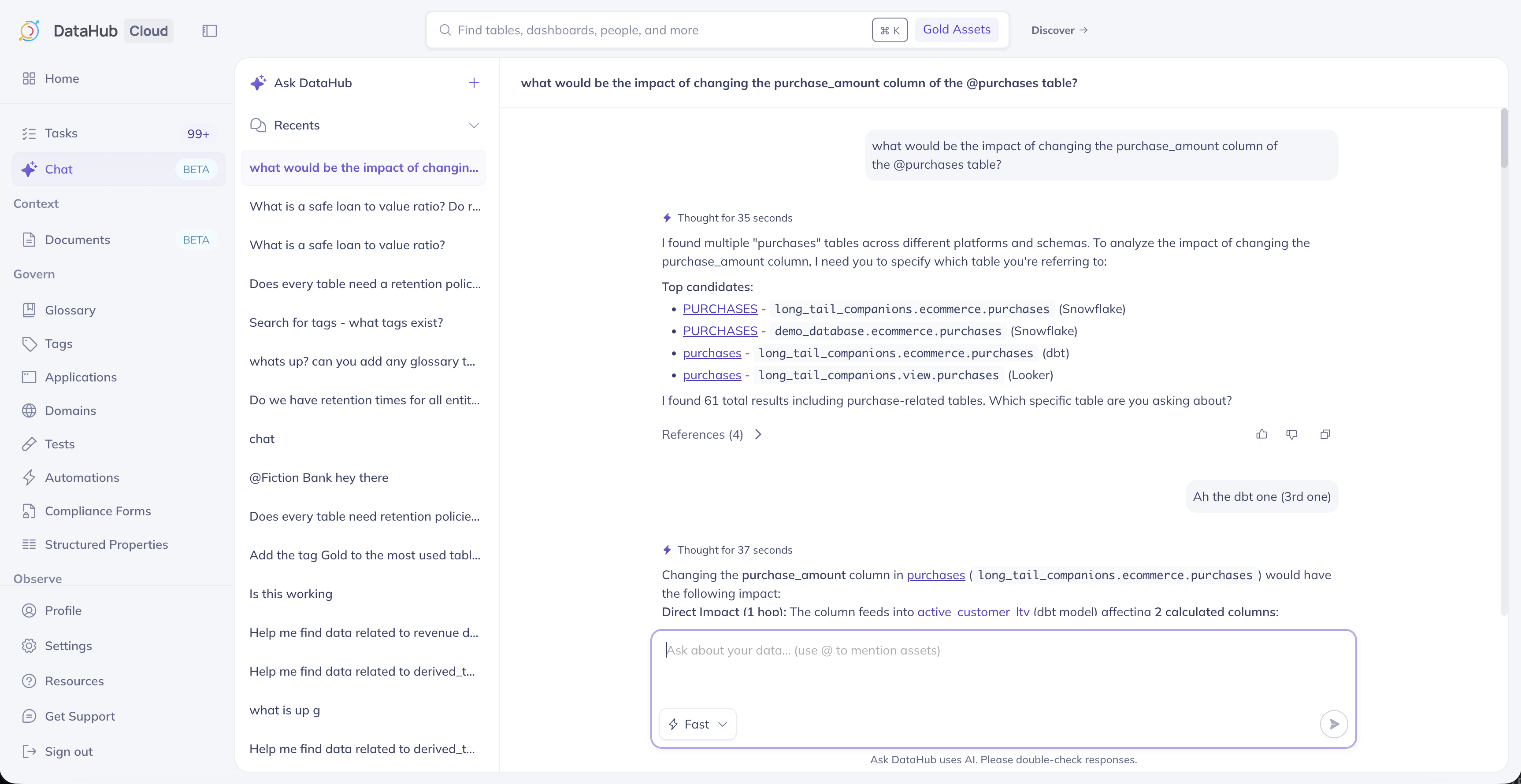
What Can Ask DataHub Do?
Ask DataHub empowers your organization to navigate and understand your entire data ecosystem with ease—combining technical metadata with your team's tribal knowledge for smarter, more reliable answers.
Find Trustworthy Data
Discover high-quality, reliable data assets based on usage patterns, documentation quality, ownership information, and data quality metrics. Ask DataHub helps you identify the most authoritative sources for your analysis.
Perform Impact Analysis
Quickly assess how changes to a data asset will ripple through your organization. Ask DataHub can trace lineage and identify all downstream dependencies, helping you make informed decisions before making changes.
Dive Deeper
Understand the who, what, when, where, and why about your data ecosystem:
- Ownership: Find out who owns which data specific assets
- Popularity: Understand which data are most popular and who uses it
- History: Learn about past usage patterns and organizational knowledge
Capture Tribal Knowledge
Ask DataHub can reference your organization's Context Documents, Glossary Terms, Domains, and more to provide consistent, reliable answers grounded in your team's shared knowledge:
- Best practices: Follow documented runbooks and quality standards
- Runbooks, guides, & FAQs: Learn the right process for requesting data access
- Policies: Understand compliance requirements and data handling guidelines
Document your most-asked questions, policies, and definitions in Context Documents to help Ask DataHub provide more accurate, consistent answers across your organization.
Assess Data Quality
Quickly understand the health and reliability of your data assets:
- View assertion results and data quality scores
- Understand freshness and validation status
- Identify potential issues before using data
- Get context on historical quality trends
Write SQL Queries
Generate first-draft SQL queries to answer specific analytical questions, accelerating your data exploration and analysis workflows.
Where You Can Use Ask DataHub
Getting Started
DataHub UI
Ask DataHub is currently available Public Beta within DataHub in multiple places:
- Chat tab in the left-hand navigation bar, where you can start new conversations with DataHub
- Data Sources configuration flow, where DataHub can help you troubleshoot ingestion sources
- Asset Profile Sidebar where you can start a chat about a specific DataHub asset.
- Chrome Extension sidebar under the Ask Tab.
Slack
Ask DataHub is available in Slack by mentioning @DataHub in any channel. This brings DataHub's intelligence directly into your team conversations.
Learn more: Ask DataHub in Slack
Microsoft Teams
Similarly, you can use Ask DataHub in Microsoft Teams by mentioning @DataHub in channels and chats.
Learn more: Ask DataHub in Teams
Customize Ask DataHub
As of v0.3.15, you can customize how Ask DataHub responds to queries by configuring custom instructions. These are injected into AI context to tailor the AI assistant's behavior to match your organization's specific needs, terminology, and guidelines.
Configuring Custom Instructions
To configure custom instructions:
- Navigate to Settings > AI in your DataHub instance
- Locate the Ask DataHub section
- Enter your custom instructions in the Instructions field
That's it!
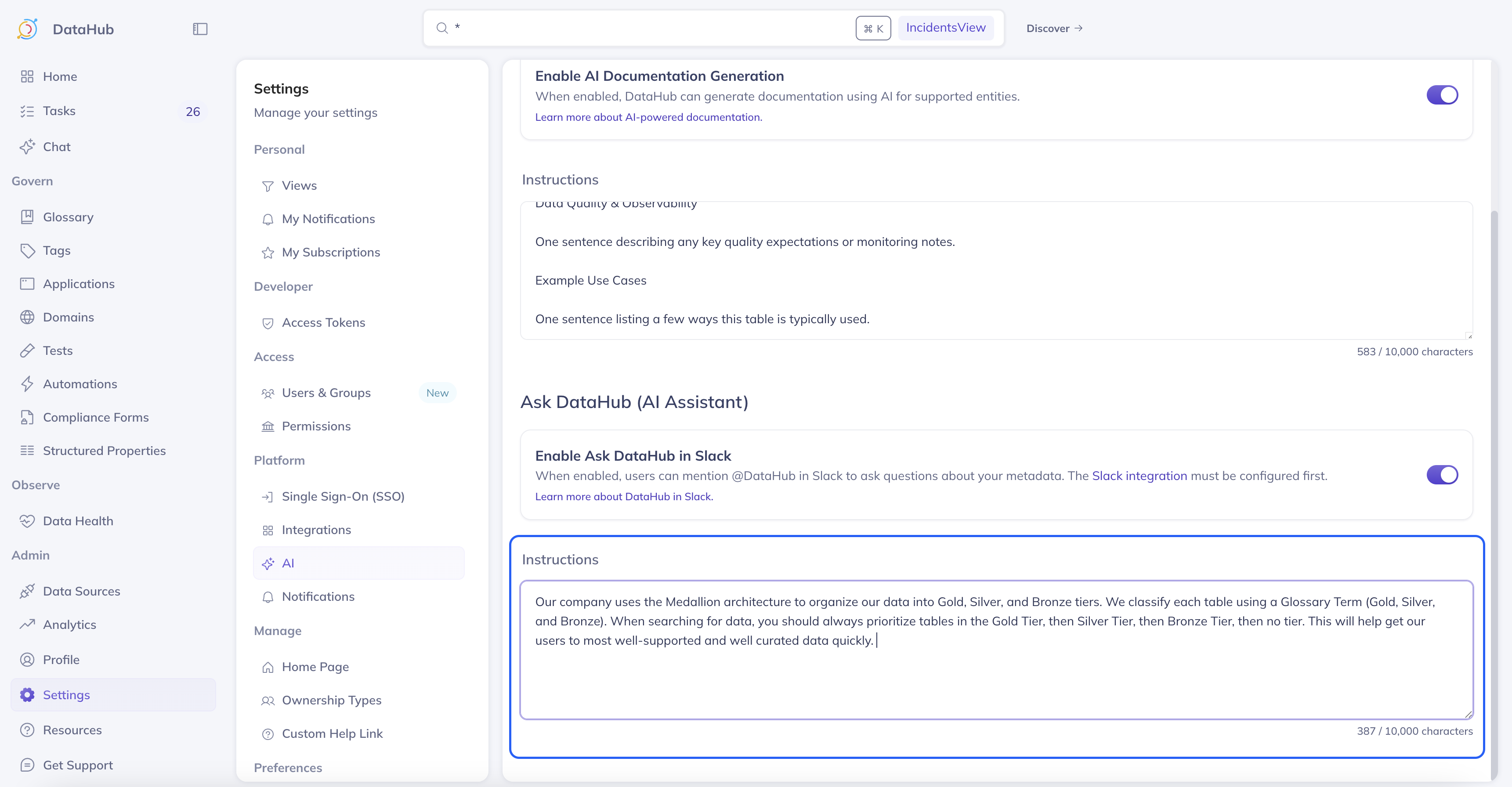
Custom base prompts can be used to:
- Define response style and tone
- Define organization specific terminology or terms
- Guide the model on how to navigate Glossary Terms, Tags, Domains, and properties
- Guide the assistant toward specific recommendations (e.g. helping differentiate production over staging assets)
Once you've changed the custom instructions, it may take up 5 minutes to reflect in Ask DataHub.
For organization-specific definitions, policies, and procedures, consider documenting them in Context Documents instead of (or in addition to) custom instructions. Context Documents are governable, versionable, and can be linked to specific assets—making them easier to maintain as your organization evolves.
Selecting a View
As of v0.3.17, you can select a View directly from the chat interface to narrow the scope of assets that Ask DataHub searches over for a given conversation. This is useful when you want to focus on a specific subset of your data ecosystem — for example, only datasets owned by your team, a particular domain, or a curated data product collection.
To select a view, click the view select dropdown next to the chat input. You can choose from your personal views or any public views shared across your organization.
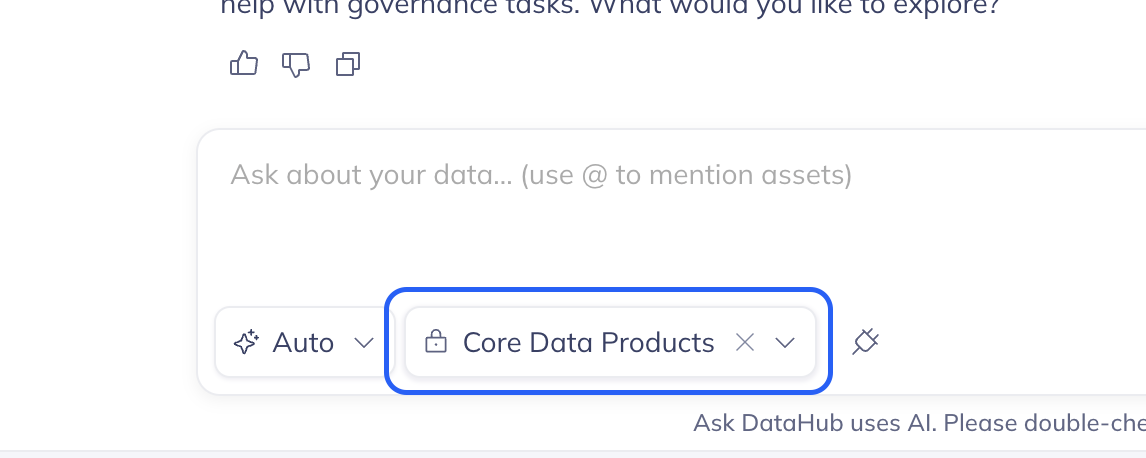
When a view is active, Ask DataHub will restrict its search to the datasets, dashboards, data products, domains, documents, and other assets included in that view — helping you get to the most relevant answers faster. If no view is explicitly selected, the organization's default view will be used (if one is set).
When using Ask DataHub in Slack or Microsoft Teams, the organization's default view is always applied automatically.
How It Works
Ask DataHub leverages your complete metadata graph and organizational knowledge to provide intelligent, context-aware responses. The AI assistant considers:
- Asset names, descriptions, and documentation
- Lineage relationships (upstream and downstream)
- Ownership and domain information
- Usage patterns and popularity metrics
- Data quality and assertion results
- Tags, glossary terms, and classifications
- Schema information and sample values
- Context Documents (published runbooks, policies, FAQs, and definitions)
By combining structured metadata with unstructured organizational knowledge, Ask DataHub can answer both technical questions ("What's in this table?") and contextual questions ("How should I use this table?") with consistent, reliable answers grounded in your team's shared understanding.